OLLA BREW LAB · COFFEE COMPANION

Roast curves, brews and cuppings — one portable workbench.

Import roast curves from Artisan, Giesen, ROEST, IKAWA, Loring and Kaleido — nine formats in all — then replay RoR, compare batches, and tie every roast to its bean, brew and cupping. Local-first on iPhone and iPad, with your records under your control.

Made for iPhone and iPad · 中文 / English / 日本語

OLLA home with the weekly cups card and bean shelf on iPad in portrait
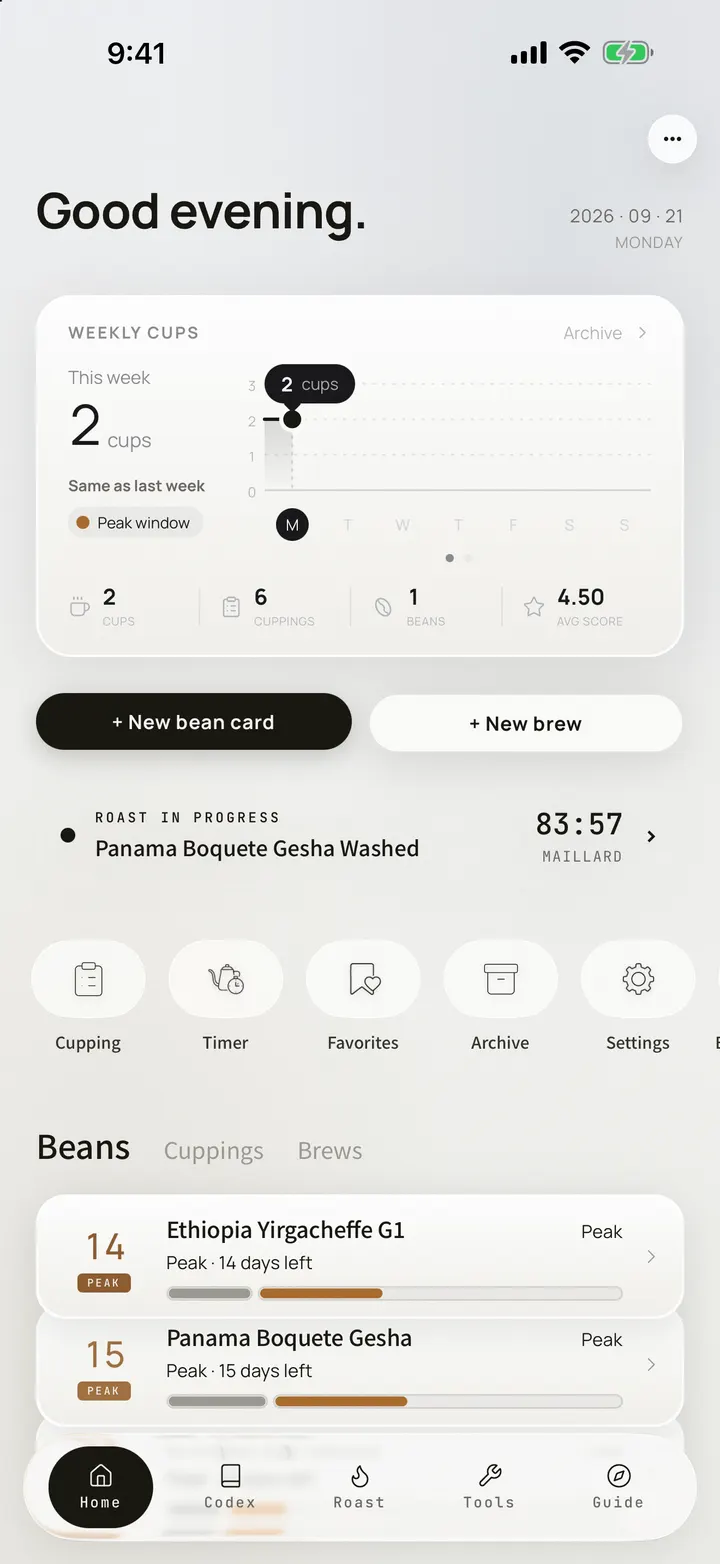
OLLA home screen with the weekly cups card on iPhone 17 Pro Max
1,770entries
8categories
21grading systems
10tools
48drippers
3languages

SEC.01CODEX

Start with the facts. Then add perspective.

Origins, estates, varieties, processing, roasting, equipment, brewing, tasting — every entry sourced.

  • 01Eight categories and 1,770 entries; if a number cannot be sourced, it stays blank
  • 02REF cards include flavor radars, variety lineages, process maps, roast curves, and 21 grading systems
  • 03A further 236 industry references cover competitions, auctions, and trade records
  • 04Three OLLA LAB dossiers — ALO Coffee, Gesha, and Hong Kong
  • 05Hong Kong Is Not a Transit Stop: 17 chapters on contracts, capital, and control across JP → HK → CN
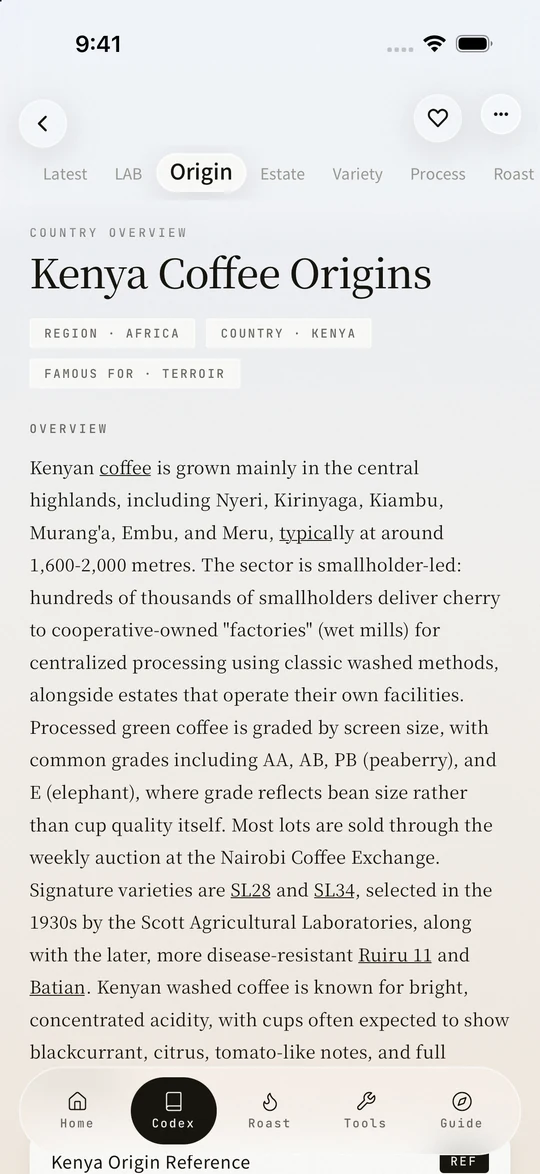
REF · STANDARD ENTRYGlobal Coffee Origin Reference
OLLA Codex Kenya origin entry on iPhone 17 Pro Max
OLLA LAB · ENTRY 009Hong Kong is not a transit stop
OLLA LAB Hong Kong is not a transit stop dossier on iPhone 17 Pro Max

SEC.02FIELD GUIDE

The Codex sits on your desk. The Field Guide walks the city.

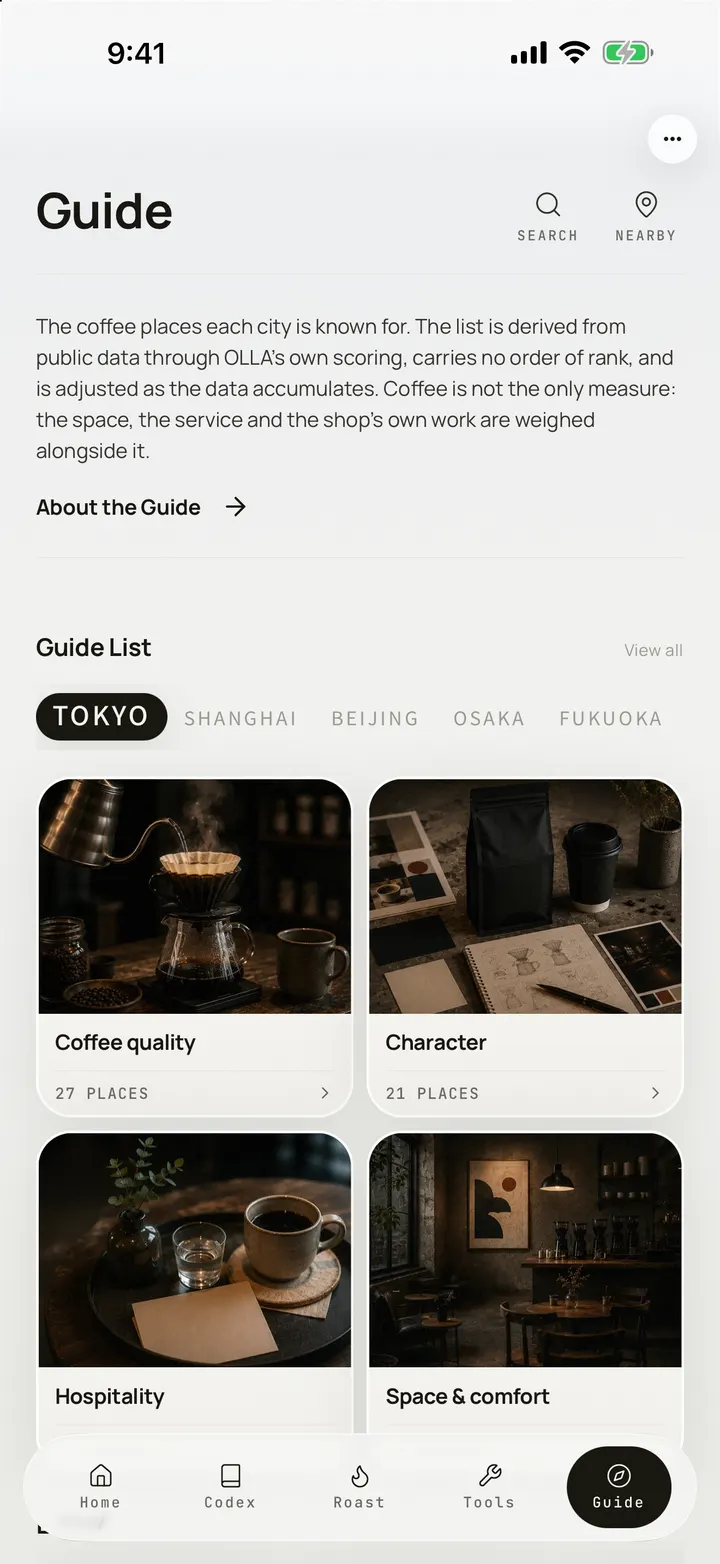
Field Guide is built one city at a time, and four volumes are out — Tokyo 53, Osaka 38, Kyoto 36, Fukuoka 13, for 140 places in all. Every volume ships inside the app, so it reads offline, before you go looking for a signal.

  • 01Four cities, four volumes, 140 places: Tokyo 53, Osaka 38, Kyoto 36, Fukuoka 13
  • 02Fully offline — every volume downloads with the app
  • 03The list is chosen from public data by OLLA’s own algorithm, and keeps growing
  • 04Location only sorts the list on your device — never uploaded, never kept
The OLLA Field Guide city index, open on the Tokyo volume, on iPhone 17 Pro MaxFIELD GUIDE · TOKYO

140TOKYO · OSAKA · KYOTO · FUKUOKA

01One city, one volume
02Reads offline
03Location stays on device
All four volumes are published, every place with its own photograph.

SEC.03ROAST LAB

Put the iPad next to the roaster.

Roast Lab is a workbench for the roast floor: log events and controls as the batch runs, then replay, compare with a reference, and follow the same beans to the cup.

Explore the full Roast Lab workflow

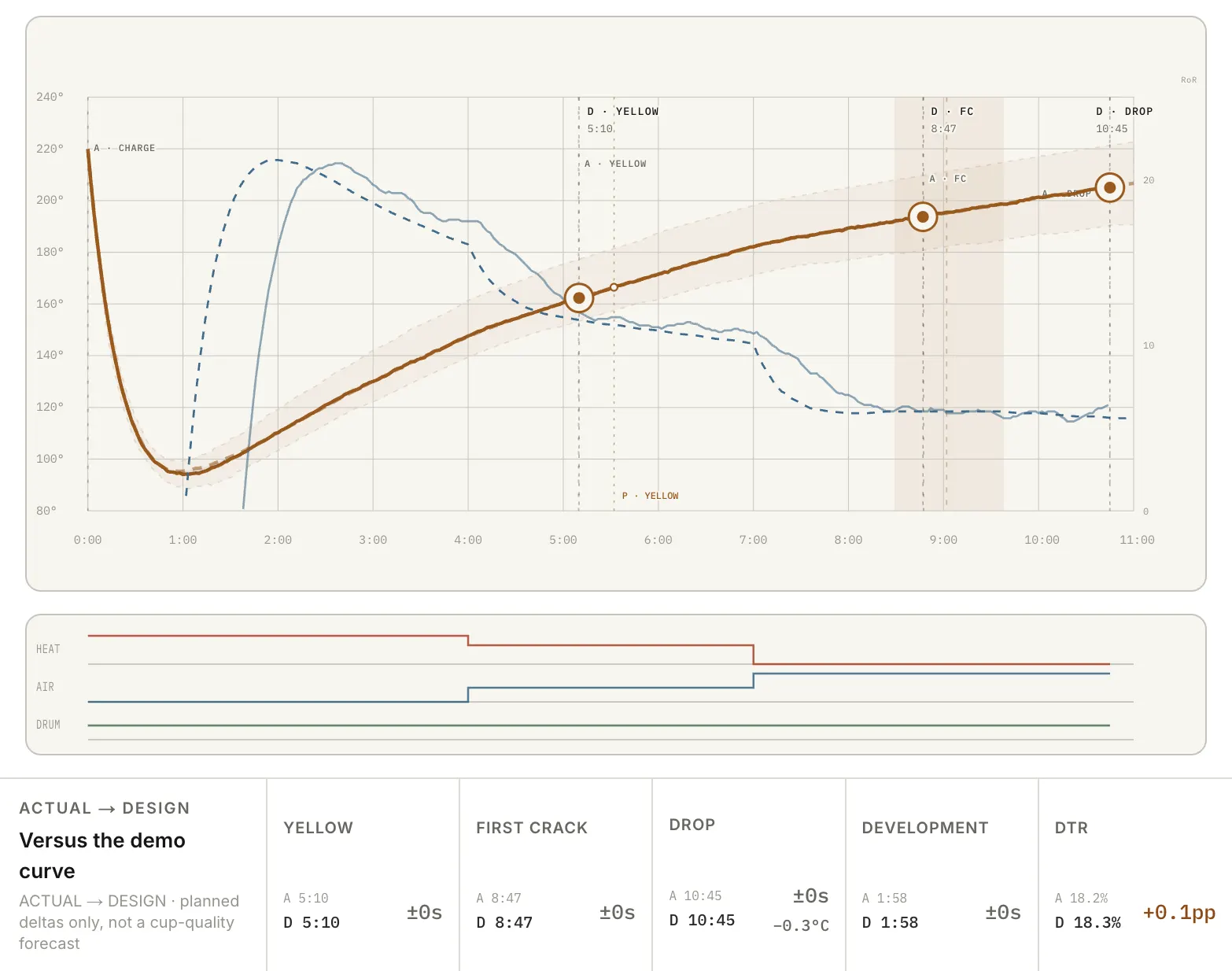
ROAST COMPARISON · CURVE

One landscape view, from charge to drop.IPAD PRO · LANDSCAPE · ENGLISH UI
Complete OLLA Roast Lab curve with batch comparison on iPad in landscape
IMPORTBring old curves inNine adapters · auto-detect
RECORDLog the batchEvents · controls · BT · notes
REVIEWReplay and comparePlayback · reference · three-up
CONNECTFollow it to cupBean card · rest · cup · brew

LIVE WORKBENCH · BATCH MEMORY

Less form-filling during the roast. More to learn afterward.

Every punch saves immediately, and timing comes from absolute timestamps — a lock screen never makes the roast clock drift.

01CHARGE → DROP

Punch events

Use large controls for charge, turning point, yellow, first crack, and drop. Each event lands on the curve.

02HEAT · AIR · DRUM · BT

Log the controls

Gas, airflow, drum speed, and bean temperature stay within reach, with large targets and haptics.

03DTR · LOSS · PHASES

Close the batch

OLLA derives total time, first crack, development ratio, and weight loss, then splits the three phases.

04GREEN → ROASTED

Track stock and output

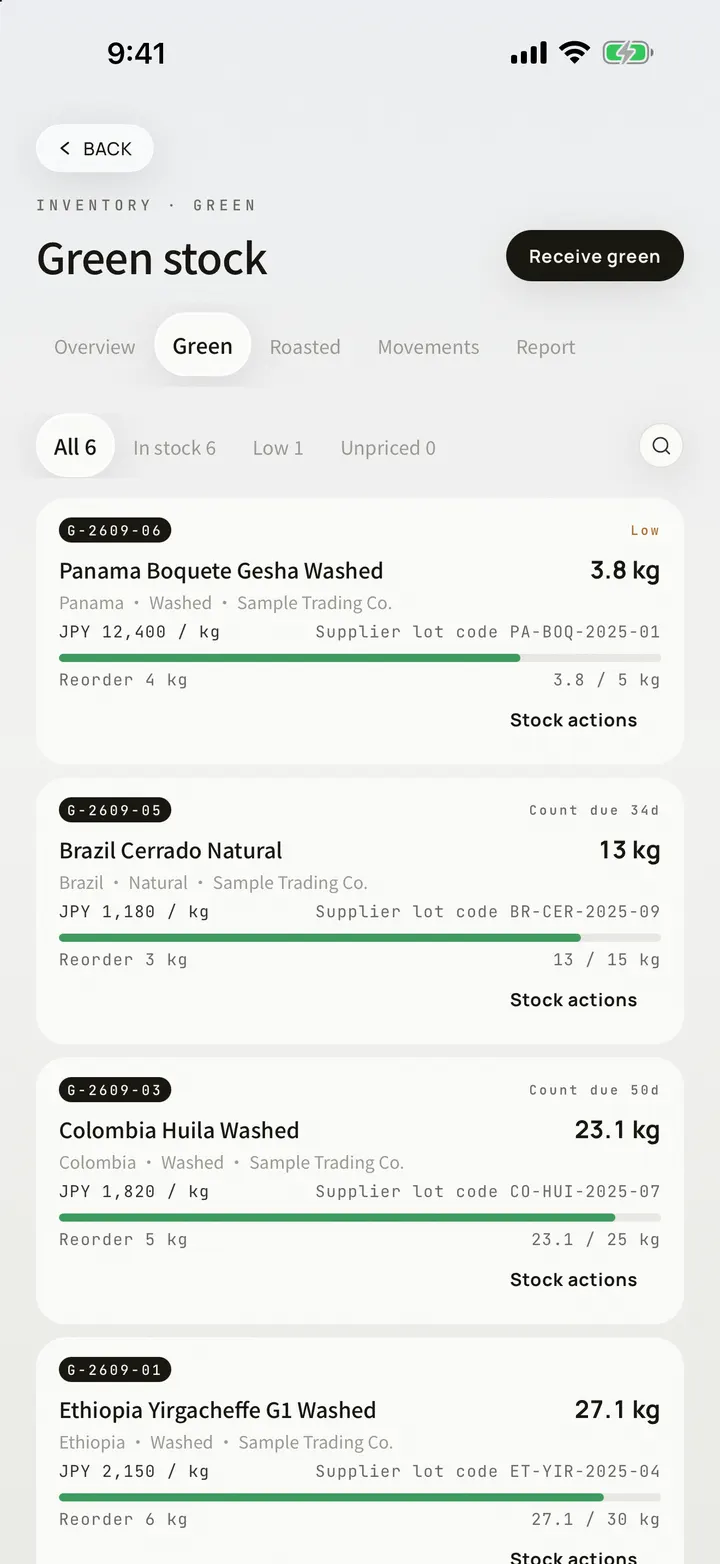
Charging deducts green inventory, and the green record carries Green Physical, Defect Weighting, and Lot Status. Enter roasted weight and create the bean card.

IMPORT INTELLIGENCE · LOCAL PARSERS

Bring in the curves you already have.

OLLA detects the source from the file itself. Channels it cannot verify wait for you to map.

AUTO DETECT

Source and format detected

MAP ONCE

Headers saved per machine

ON DEVICE

Files are read locally

SUPPORTED NOW09 · IMPORT ADAPTERS

ARTISAN

Artisan JSONFull curves and events
Artisan .alogArtisan’s native save
Artisan CSVTab-separated milestone strip

ROASTER NATIVE

Giesen Profiler CSVExact-header detection
ROEST CSVCurves and machine events
IKAWA CSVStates and temperature channels
Loring CSVAutomatic temperature scaling
Kaleido CSVSectioned log and machine events

UNIVERSAL

Generic CSV · TSV · TXTMap any time and temperature columns

ROASTER PROFILES · VENDOR-VERIFIED

Pick your roaster. The right reader comes with it.

Thirty-five roaster models ship inside the app, every spec traced to the vendor's own documentation and left blank wherever the vendor does not state it. Choose the machine and OLLA fills in heat source, batch size and sensors, then ranks the import adapters that machine actually writes.

35models

Brands covered

  • Probat
  • Giesen
  • Loring
  • IKAWA
  • ROEST
  • Aillio
  • Stronghold
  • Kaleido
  • Santoker
  • Hottop
  • Behmor
  • Fresh Roast
  • Orbiter
  • Rubasse

LOCAL-FIRST · YOUR DATA

Your files. Your data.

Files are parsed on-device, while batches and events are stored locally by default. iCloud is yours to switch on.

01Imports are parsed on device
02Batches and events stay local by default
03Raw samples stay on the current device

ROAST TO CUP · RTC

The record continues after the roast.

ROASTBEAN CARDCUPPINGBREW

ON-DEVICE AI · ROAST SUMMARY

A summary drafted on your device.

On iOS 26 with Apple Intelligence, each batch gets an on-device summary draft.

CURVE MEMORY · REFERENCE

Replay the curve. Use it to guide the next batch.

Temperature and RoR share one timeline. A reference batch gives the next roast an overlay and a ghost.

  • Phase shading and event markers
  • Temperature channels and source RoR
  • Cursor readouts for BT and RoR
  • Reference curves, deviations, ghost

EXPORT · KEEP THE RECORD

Take the complete roast record with you.

Every output uses OLLA’s lab-report system, ready for archiving, review, or a conversation with the team.

CURVE PDFCurve-sheet PDF
CURVE PNGCurve PNG
COMPAREThree-batch comparison export
STOCKLight inventory report
RTC DOSSIEROne-bean dossier PDF
JOURNALRoast chapter in the analytical report

LAB REPORTS · A4 VECTOR

Every assessment can become a document you hand over.

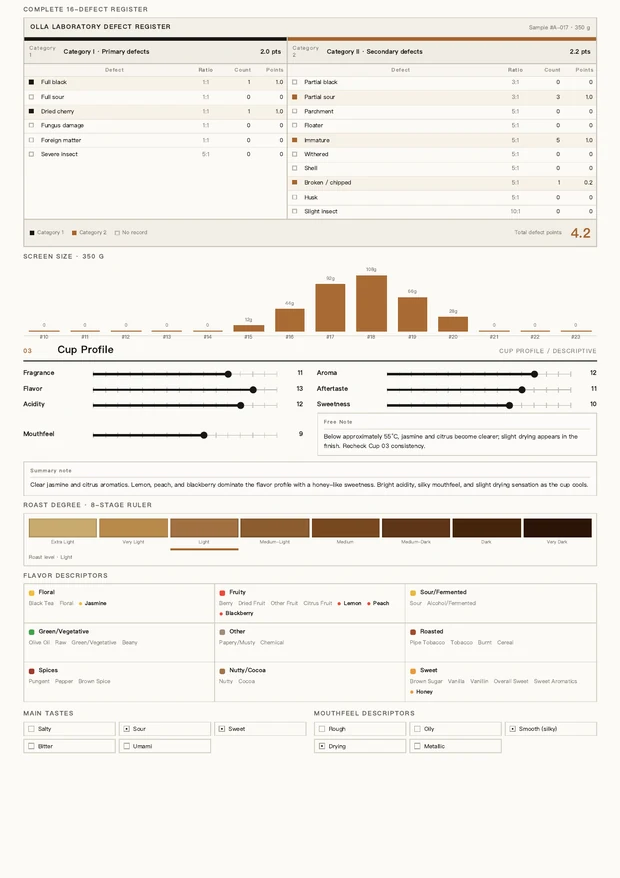
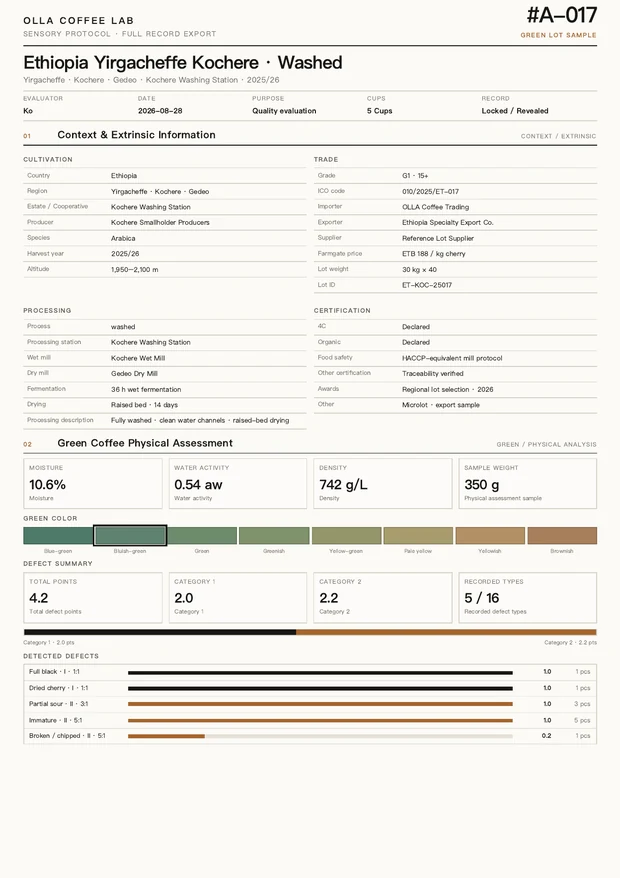
Archive an assessment session and it exports as a Full Record: vector A4 in lab convention — context and extrinsic information, green physical assessment, cup descriptive and verdict, section by section — carrying your own studio name and signature. The two pages below come from one real export at full scale — not mockups.

OLLA report sample — Second page — cup descriptive
OLLA report sample — Full Record, first page

Second page — cup descriptiveDEFECT REGISTER · CUP PROFILE

Full Record, first pageCONTEXT / EXTRINSIC · GREEN PHYSICAL

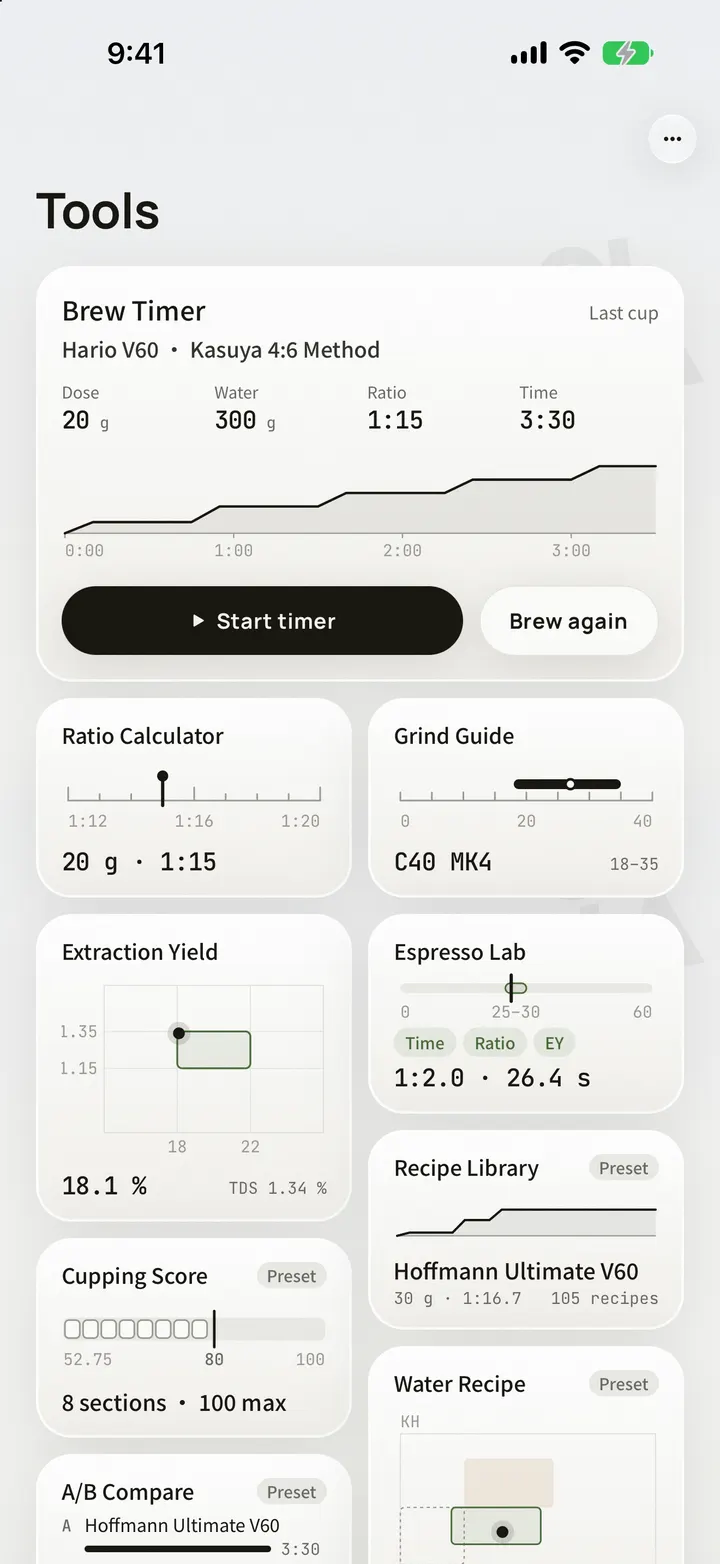
SEC.04TOOLS

Ten brewing tools, always within reach.

Timing, ratios, water, grind, cupping — ten practical tools, every number checked against official sources.

Equipment library: 48 drippers · 72 filters · 80 bottled waters, checked against official specifications

SEC.05BEAN TO BREW

Start with the bag. Keep every brew and every cupping with the same coffee.

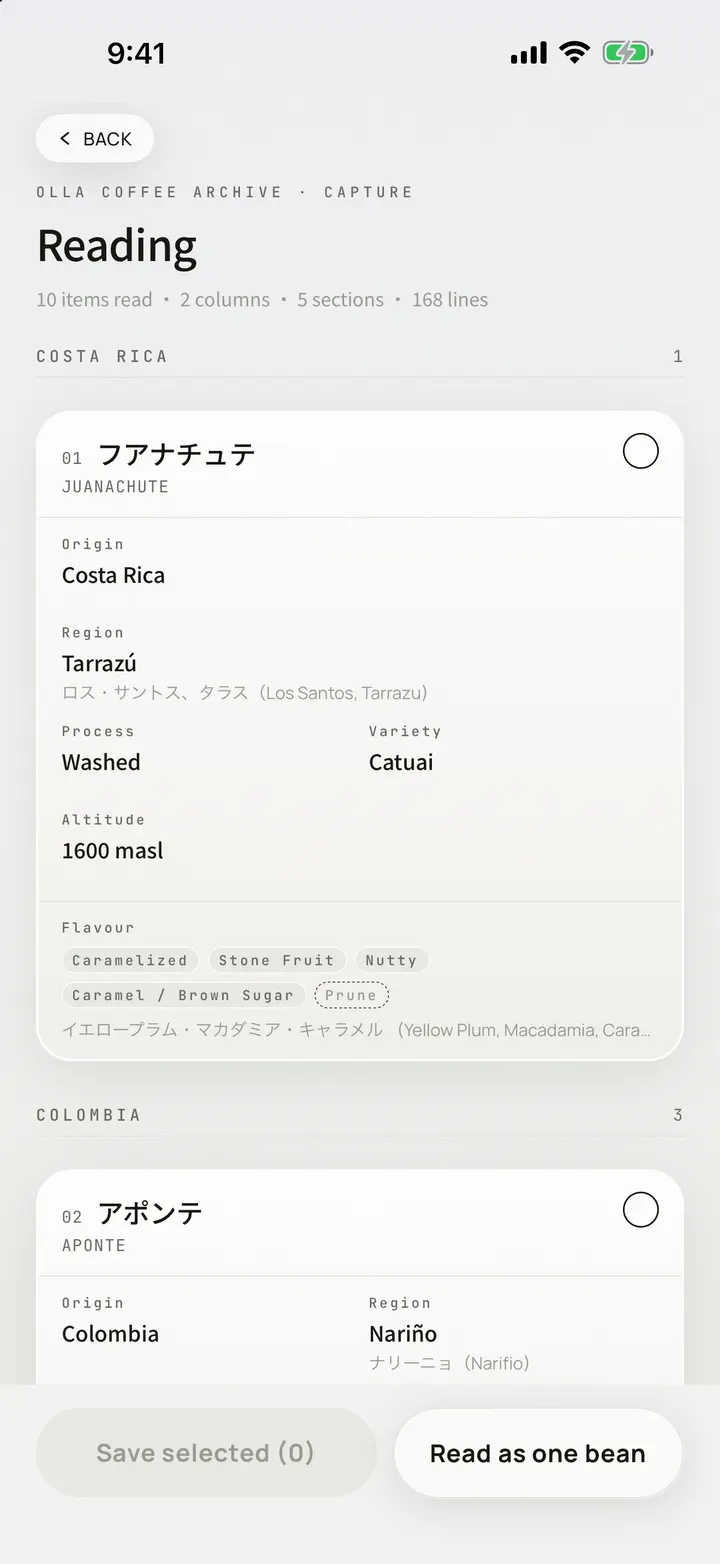
Photograph the bag and Apple Vision reads origin, variety, process, and roast date on your device. Confirm each field, then every brew and cupping stays with that coffee. A cupping can become a professional assessment: triggers downgrade a lot on their own, while moving up takes your confirmation — the engine drafts the hypothesis, you sign it.

01Label scan

Shoot the bag; four fields are read on device and saved to a bean card.

02Recipe timer

Pick a brewer and recipe, then follow water and pour prompts.

OLLA Brew Timer in English
03Brew archive

Parameters and sensory scores in one entry; golden cups get a mark, and any record saves as a 4:5 share card.

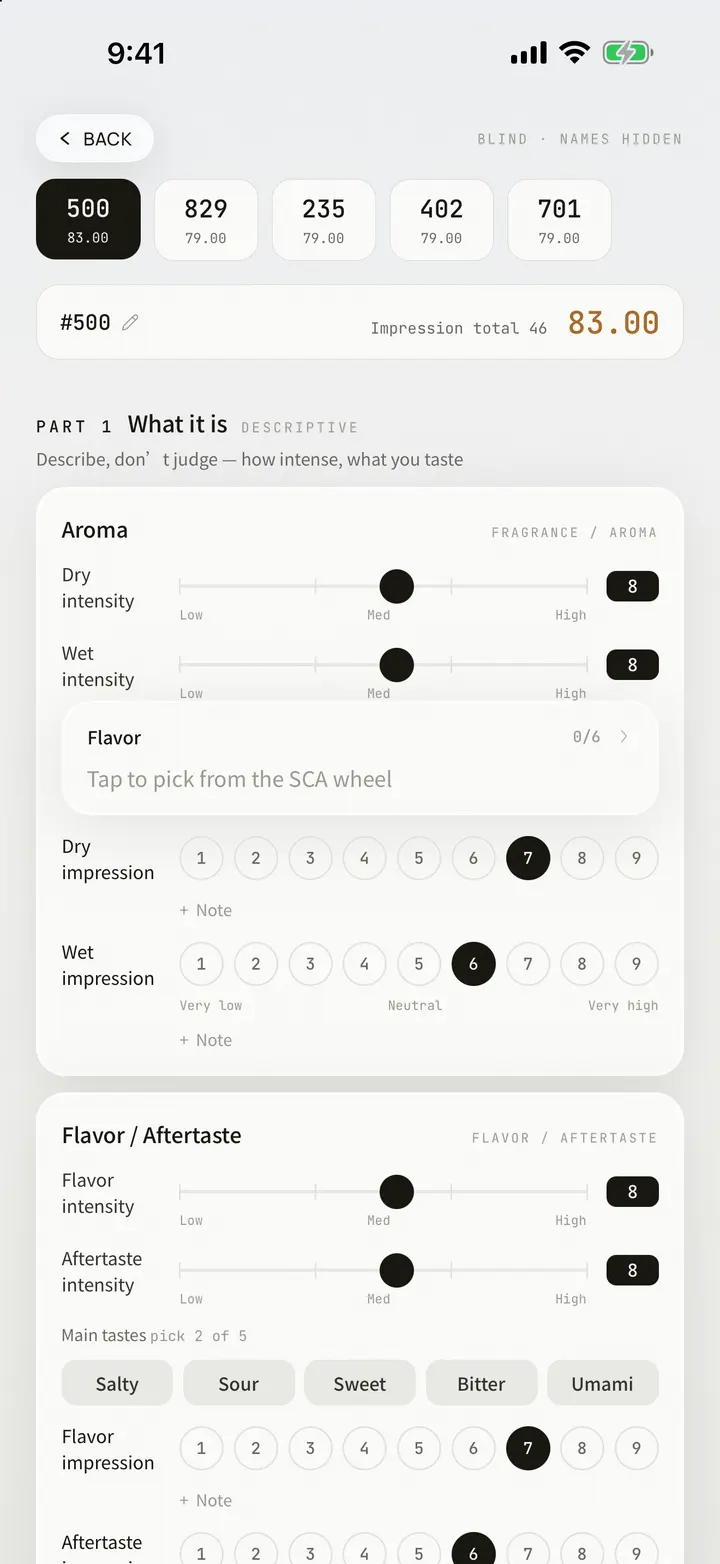
04Professional cupping

Cup Profile 0-15, Quality Impression 1-9, and Cup Integrity across five cups; verdicts run from L5 REFERENCE to L1 REJECT.

OLLA Cupping Score in English

ONE COFFEE · EVERY RECORD

OLLA bean cards and freshness windows on iPhone 17 Pro Max

SEC.06OLLA LAB · ASSESSMENT

Samples arrive blind. The engine drafts the hypothesis. You sign it.

Above cupping sits a professional assessment: samples are seated under blind codes, the readings feed the OLLA Lab Index, and the verdict lands on one of five OLLA Lab Classes.

OLI ENGINE · TRIGGER / OVERRIDE

Downgrades are automatic. Upgrades take a signature.

A trigger moves the class down without asking. Moving it back up takes a manual override, and the override itself stays in the record.

Scoring axes

CUP PROFILE0 – 15

What is in the cup, scored attribute by attribute.

QUALITY IMPRESSION1 – 9

The overall impression, on a scale of its own.

CUP INTEGRITY5 CUPS

Whether the five cups of one sample agree.

ASSESSMENT · BLIND SEATING
An OLLA blind assessment scoring a seated sample, on iPhone 17 Pro Max
EXPORT · 4:5 SHARE CARD
An OLLA brew record as a 4:5 share card, on iPhone 17 Pro Max

OLLA LAB CLASS · FIVE VERDICTS

It prints what you entered, and invents nothing else.

An assessment or a record leaves as one of six 4:5 share cards, or as part of the Lab Record PDF family. The layout only sets what you filled in; empty fields stay empty. Brew-record PDFs are part of OLLA Pro.

  1. L5REFERENCE
  2. L4VERIFIED
  3. L3REVIEW
  4. L2HOLD
  5. L1REJECT
OLLA Coffee Journal report on iPhone 17 Pro MaxCOFFEE JOURNAL · REPORT
47BREWS LOGGEDThe longer you keep notes, the clearer your preferences become.

SEC.07JOURNAL & INSIGHTS

Your notes become a map of your taste.

A bag photo becomes a bean card with a freshness countdown; brews, cuppings, and roasts stay linked.

  • 01Create a bean card from a bag photo, then edit any recognized field
  • 02Freshness countdown with linked brew, cupping, and roast records
  • 03Reports cover brewing rhythm, trends, flavor preferences, and origin distribution
  • 04Export signed cupping reports as PDFs
  • 05Home Screen and Lock Screen widgets for resting progress, today’s log, and recent additions

SEC.08ONE WORKFLOW

One account. Every device. One continuous record.

  • 01iCloud sync for bean cards, roast records, cuppings, brews, green inventory, and preferences
  • 02Start on one device and continue on another with the same account
  • 03Sign in with Apple, with JSON backup and restore, plus CSV export where available

OLLA PRO · FREE AND SUBSCRIPTION

The free tier is not a trial.

Keeping records is free forever — no entry cap, no watermark, no expiry. What OLLA Pro unlocks is taking those records off this one device: sync, documents you can hand over, and the ledger on your Home Screen.

Bean cards · brews · cuppings · label scanning

UnlimitedSame

Coffee Codex — 1,770 entries, 8 categories

All of itSame

Ten brewing tools

All of themSame

Roast workbench: live logging · curve replay · three-batch compare · reference mode · green inventory

UnlimitedSame

Curve and comparison charts as PNG

FreeSame

JSON backup export

FreeSame

Every theme

FreeSame

Bean resting countdown widget (Home + Lock Screen)

FreeSame

Roast-curve file import (nine formats)

Three filesUnlimited

iCloud sync across devices

Included

Lab-style PDFs: curve sheet · comparison · stock report · one-bean dossier

Included

Reports signed with your own studio name, logo and watermark

Included

Today's ledger and recent-additions widgets

Included

LAB dossiers (the three published so far are free for everyone)

The first threeEvery one after

Monthly · annual (with a 7-day free trial) · lifetime. Prices follow your App Store region.

Logging your own roasts is never limited; the three-file cap applies to importing curve files. Anything imported stays viewable and comparable forever.

OLLA BREW LAB · APP STORE

More tools and reference content are on the way.

The reference library will keep expanding, and every tool will keep improving through real-world use.

IPHONE · IPAD · 中文 / ENGLISH / 日本語5 THEMES · SYSTEM / PORCELAIN / OBSIDIAN / GLAZE / EMBER
OLLA home screen on iPhone 17 Pro Max