
Will the roast and inventory records I already have be locked?
No. Records kept before 1.3.0 can still be viewed, compared, edited, deleted and exported in a JSON backup; only adding and delivering are closed.
ROAST TO CUP · OLLA PRO
For small coffee teams and independent roasters: from a bag of green to a cup, every move lands in one ledger.
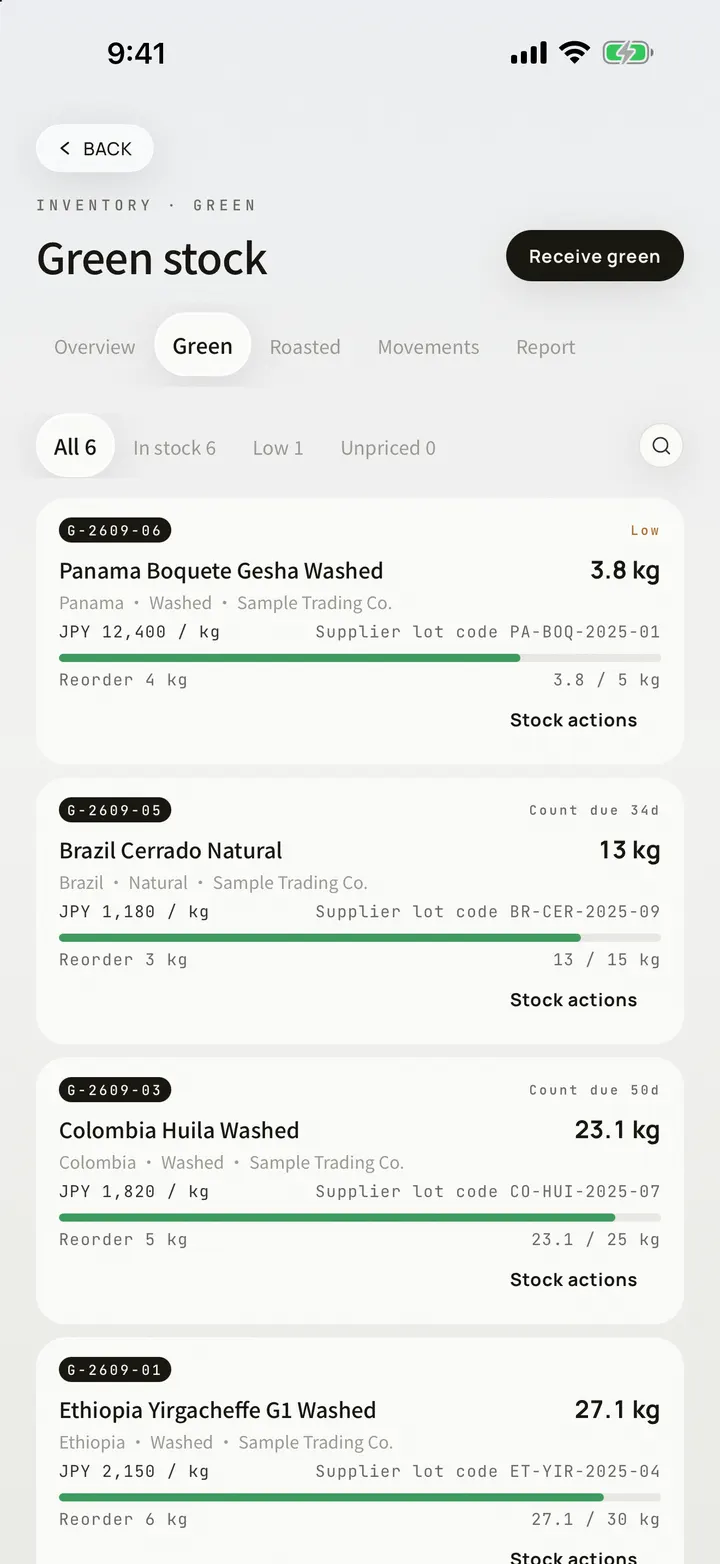
INVENTORY
Green and roasted on their own layers, every bag with a code, cost and valuation always in view.
Intake · counts · splits. Sales and write-offs on one row.
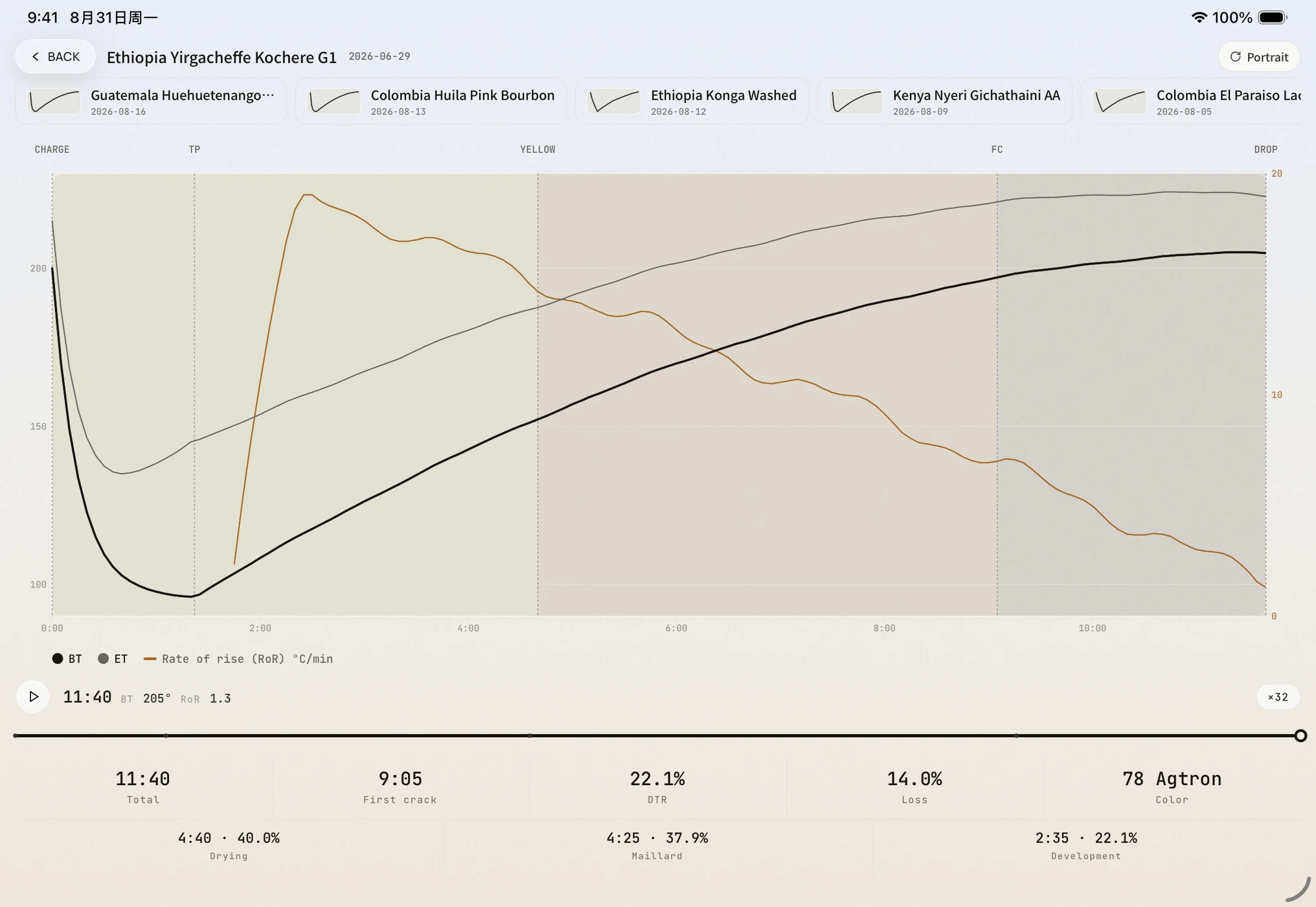
PRE-ROAST DESIGN
Settle the roast before you charge: turn the dials, and the windows and weight loss are worked out on the spot.
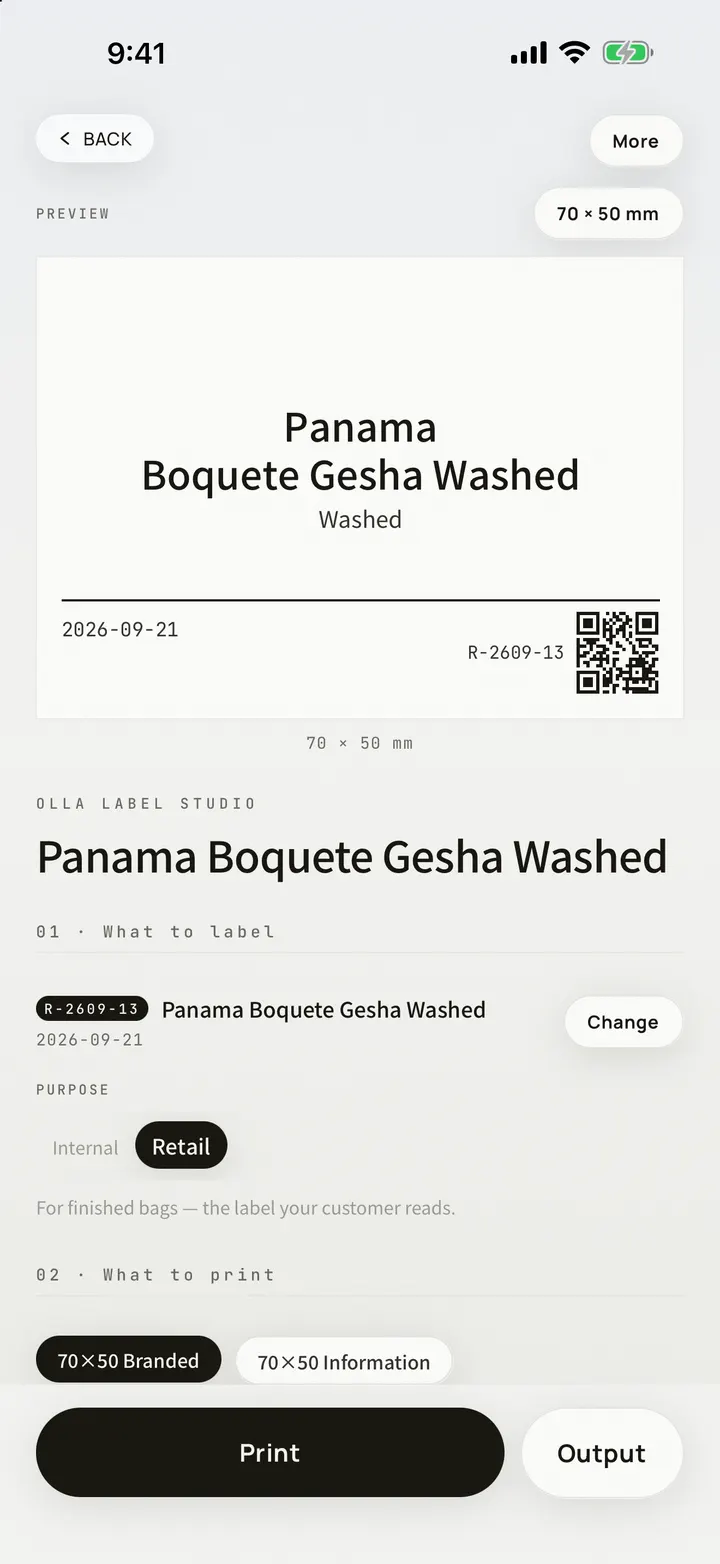
LABELS
Bag labels and shelf cards generated from real data; the PDFs carry your own shop name.
A4 sheets and system printing. Curve sheets and Sample Archive · the one-bean dossier · lab-style PDFs.
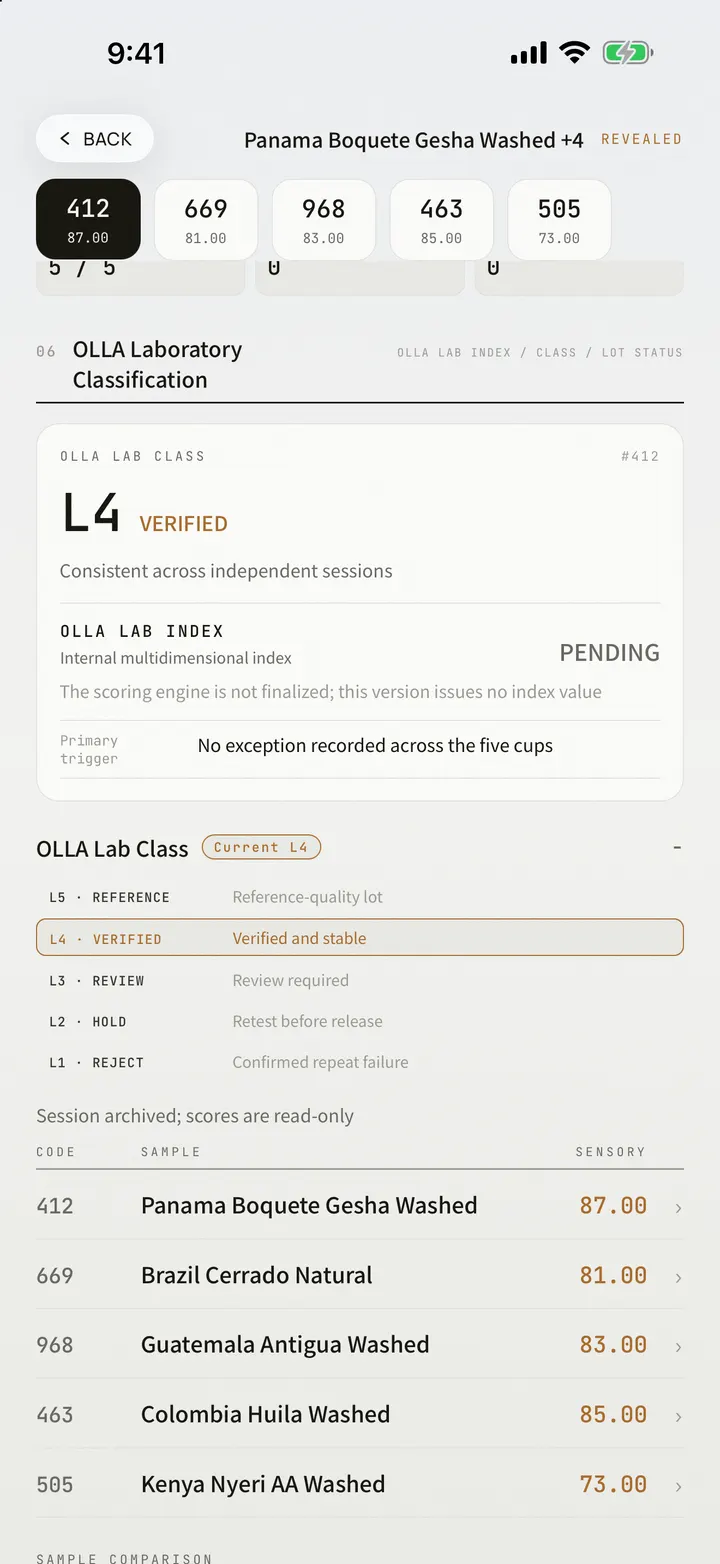
ASSESSMENT
Multi-sample blind assessments bound into a report; roast experiments chain several roasts into traceable evidence.
Blind assessments. Roast experiments: question · roasts · conclusion.
WEB / APP BOUNDARY
On the Web you try the design flow on OLLA demonstration curves and read a precomputed projection on the spot, always from the generic prior; designing with your own curves and machine is for the app. The results on the Web come from the same algorithm the app runs. Binding a machine, calibration, saving and the ledger itself live in the app.
Available since OLLA 1.3.0
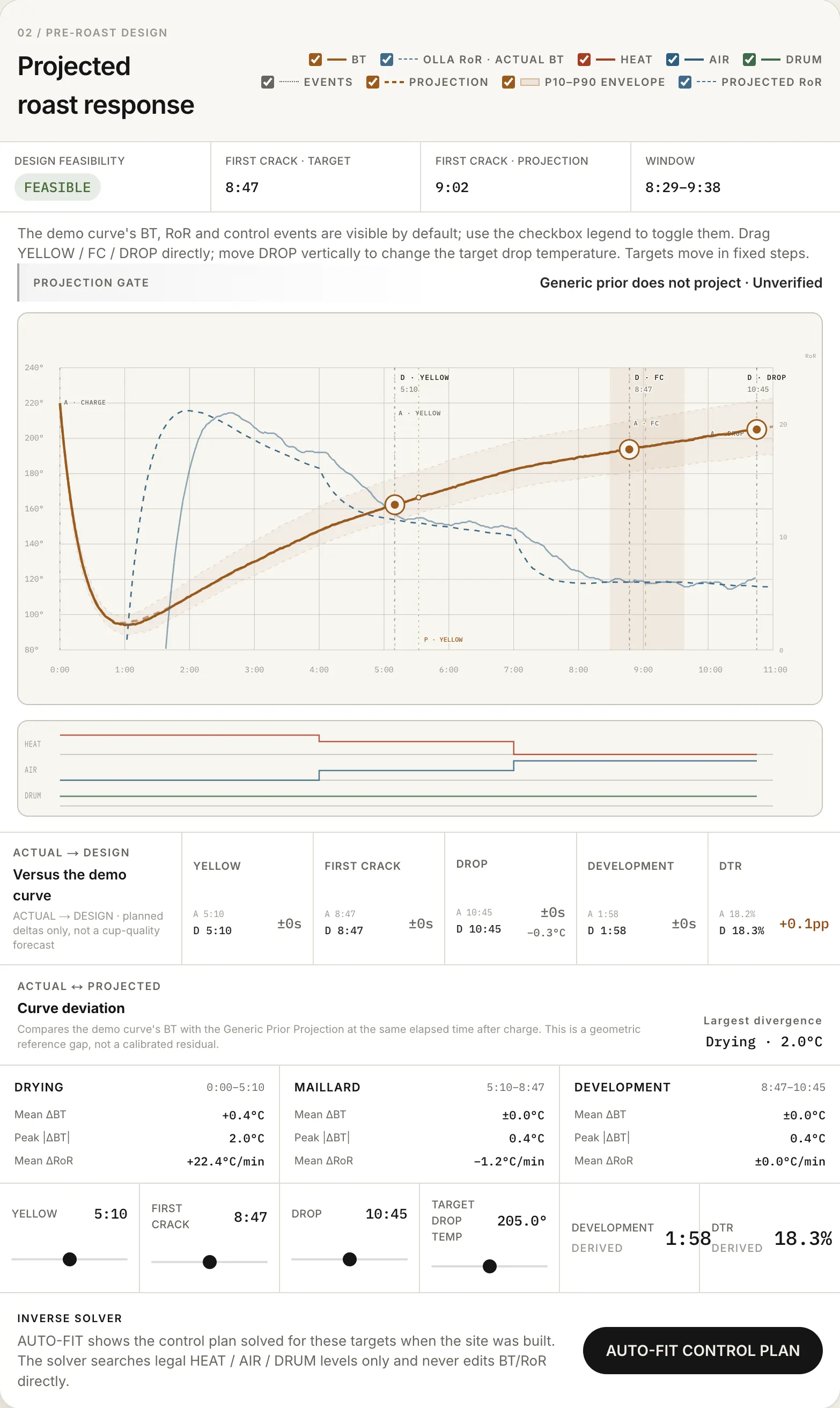
The panel on the OLLA demonstration curve Medium, balanced. Demonstration curves are generated by the OLLA model; they are not real roasts.
OLLA PRO
New Roast to Cup records, deliverables and sync, plus the new AI features arriving in later updates
Bean cards · brews · cuppings
OpenOpenCodex · Field Guide · tools
OpenOpenCamera capture with on-device fill
OpenOpenJSON backup export
OpenOpenRoast to Cup · saved designs, roast logging, curve import
—OpenRoast to Cup · inventory in one ledger
—OpenLabel output · dossier and ledger PDFs
—OpenMulti-sample assessment · roast experiments
—OpeniCloud multi-device sync
—OpenReport branding · advanced widgets · LAB charts and lot data
—OpenNew AI features (rolling out)
—OpenMonthly · annual (with a 7-day free trial) · lifetime. Prices follow your App Store region.
Roast and inventory records you kept before stay viewable, comparable and backed up; adding and delivering unlock with OLLA Pro.
FAQ
No. Records kept before 1.3.0 can still be viewed, compared, edited, deleted and exported in a JSON backup; only adding and delivering are closed.
Yes. The first visit to the roasting tab fills this device with a demo ledger from an invented roastery. Demo data stays on the device, never reaches iCloud, and is cleared the moment you become a member or erase your data.
Monthly, annual (with a 7-day free trial) or a one-time buyout, priced by your App Store region. Payment is handled by Apple, and a subscription can be managed or cancelled at any time in iOS Settings.
WHAT'S NEW · 1.3.0
Roast to Cup: a roastery workbench for professionals, and all of it is OLLA Pro. Roast Designer at ollabrewlab.com/tools/roast-designer lets you try the design flow on OLLA demonstration curves
Roast, green, roasted, blend, experiment and plan records kept before 1.3.0 are not locked — only adding and delivering are closed
Camera capture is now one path: bean cards, green lots (new), the Codex bag reader and OLLA label scanning share one capture panel and one review sheet, every field shows the words on the bag it was read from, and your corrections come back first next time; on devices that support Apple Intelligence the on-device model also fills gaps, corrects misreadings and adds a three-language explanation and translation, with photo and text never leaving the device, and where it is not available text recognition works as before
In a new brew the dose, water temperature, grind, strength and extraction dials move one unit per notch (dose 5–50 g by the gram), and can be typed in to two decimals
Roasted lots gain a share image, an archive PDF and a label entry; the baseline library is rebuilt, and a serving baseline can be set on a roast, a blend or a roasted lot
A notification marked read could come back unread in some cases — fixed