
Import
Bring in a curve from supported software or a mapped text file.
OLLA ROAST LAB · ROAST WORKFLOW
Import a profile or record beside the roaster. Curve, events, controls, and cup results stay in one record.
FROM PROFILE TO CUP
A field notebook during the roast, an analysis bench after it. Built for home roasters, sample roasting, and small roast teams.
Bring in a curve from supported software or a mapped text file.
Punch events and log gas, airflow, drum speed, and BT.
Replay temperature and RoR, compare profiles, set a reference.
Carry the batch into inventory, bean cards, cupping, and reports.
IMPORT · LOCAL PARSERS
Parsing runs on the device: delimiters, time axes, temperature units, events, and channels are detected automatically. Uncertain mappings are left for you to confirm, never guessed. Thirty-five roaster models ship inside, each spec traced to the vendor's own documentation — pick yours and the formats it actually writes rank first.
Source files and second-by-second samples are not uploaded to OLLA servers.
LIVE BATCH · IPHONE + IPAD
Large targets keep actions close. Events save immediately; the roast clock uses absolute timestamps.
CURVE MEMORY · COMPARISON
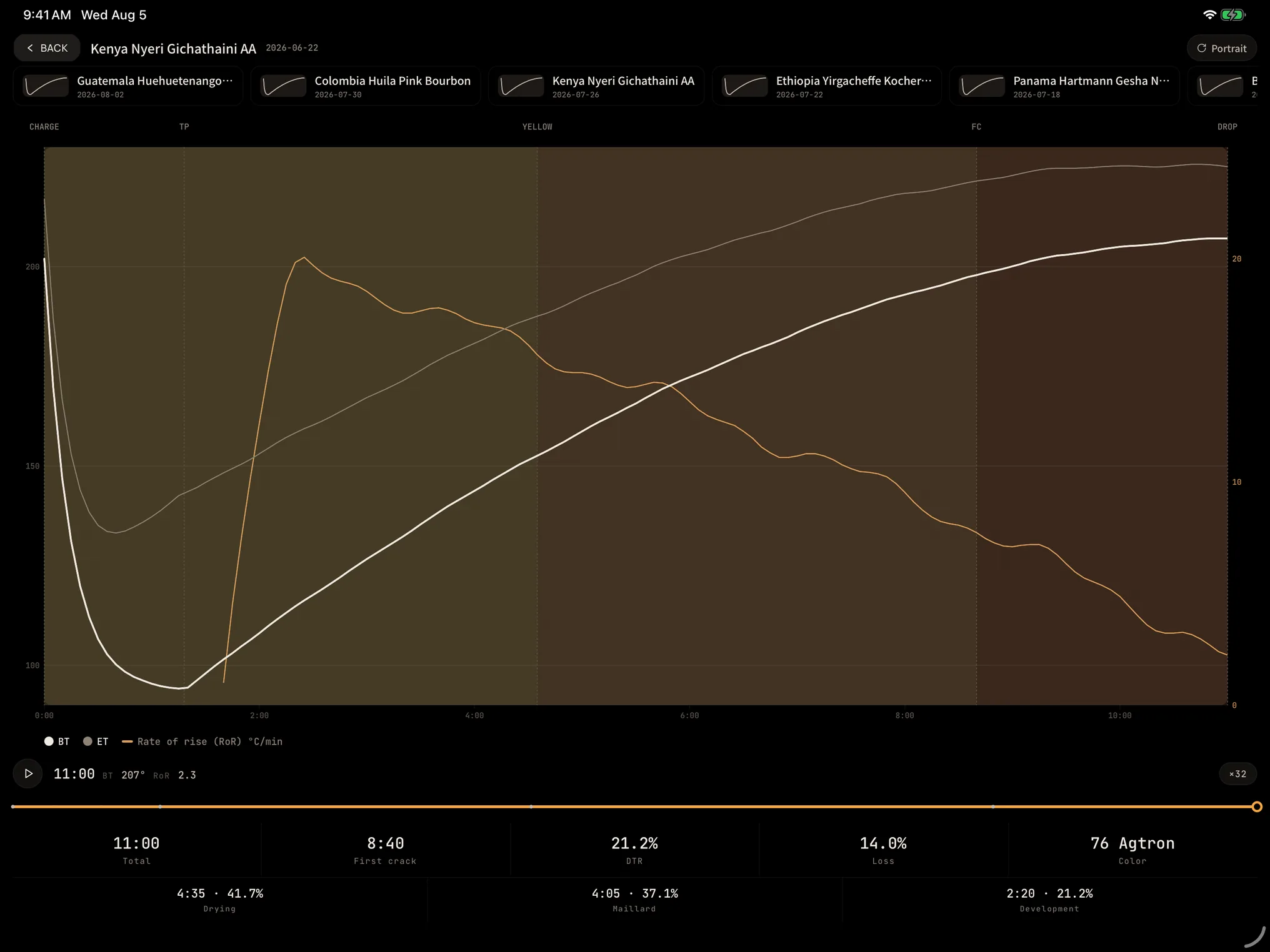
Temperature and RoR share one timeline. Scrub anywhere, or follow a reference curve and live ghost.
ROAST TO CUP · RTC
Link the batch to a bean card, resting window, cupping sheet, brew logs, and an archivable report.
OLLA BREW LAB · APP STORE
Roast Lab is part of OLLA Brew Lab for iPhone and iPad. The app is available in English, Simplified Chinese, and Japanese.