OLLA BREW LAB · COFFEE COMPANION
Everything youneed to takecoffee seriously.
Made for iPhone and iPad · 中文 / English / 日本語
1,770entries
8categories
21grading systems
10tools
47drippers
3languages
SEC.01CODEX
Start with the facts.Then add perspective.
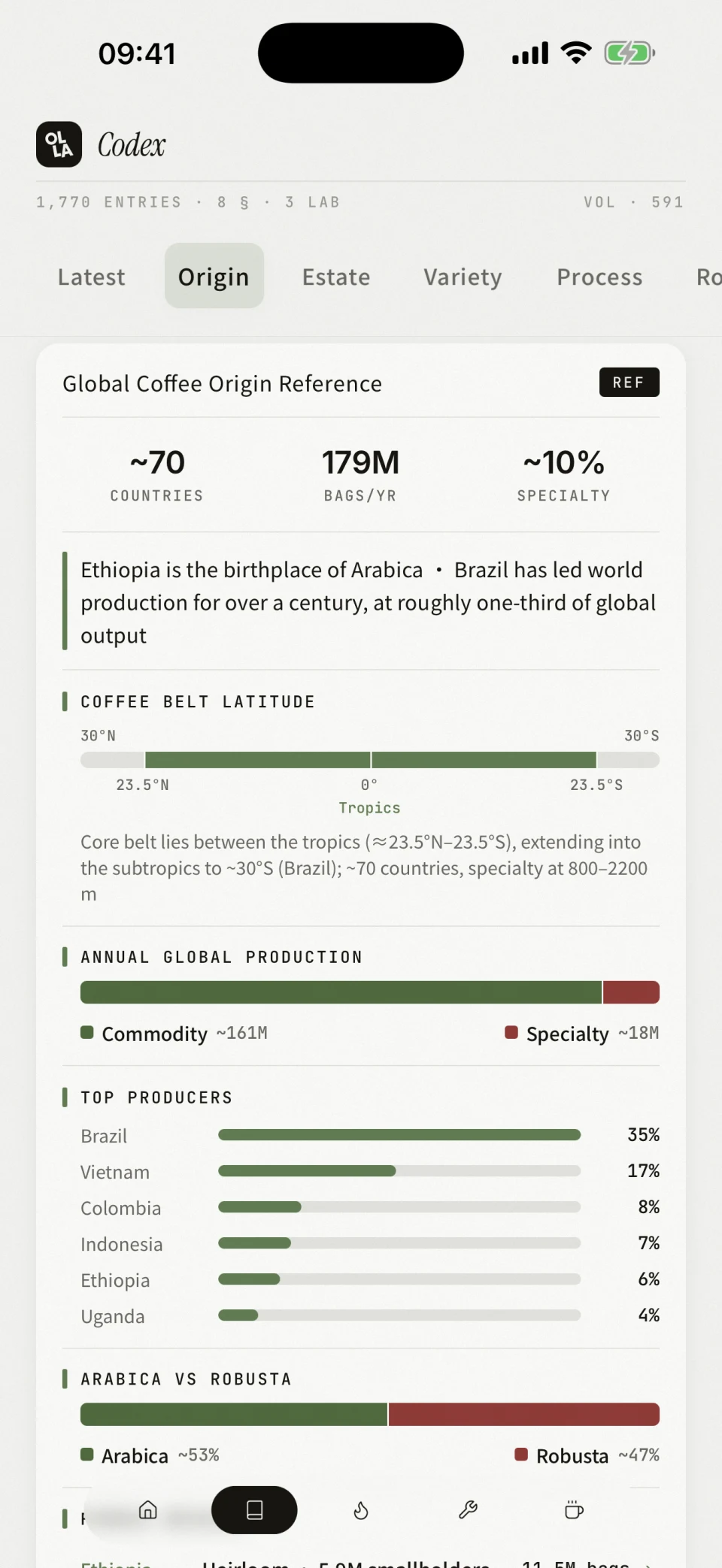
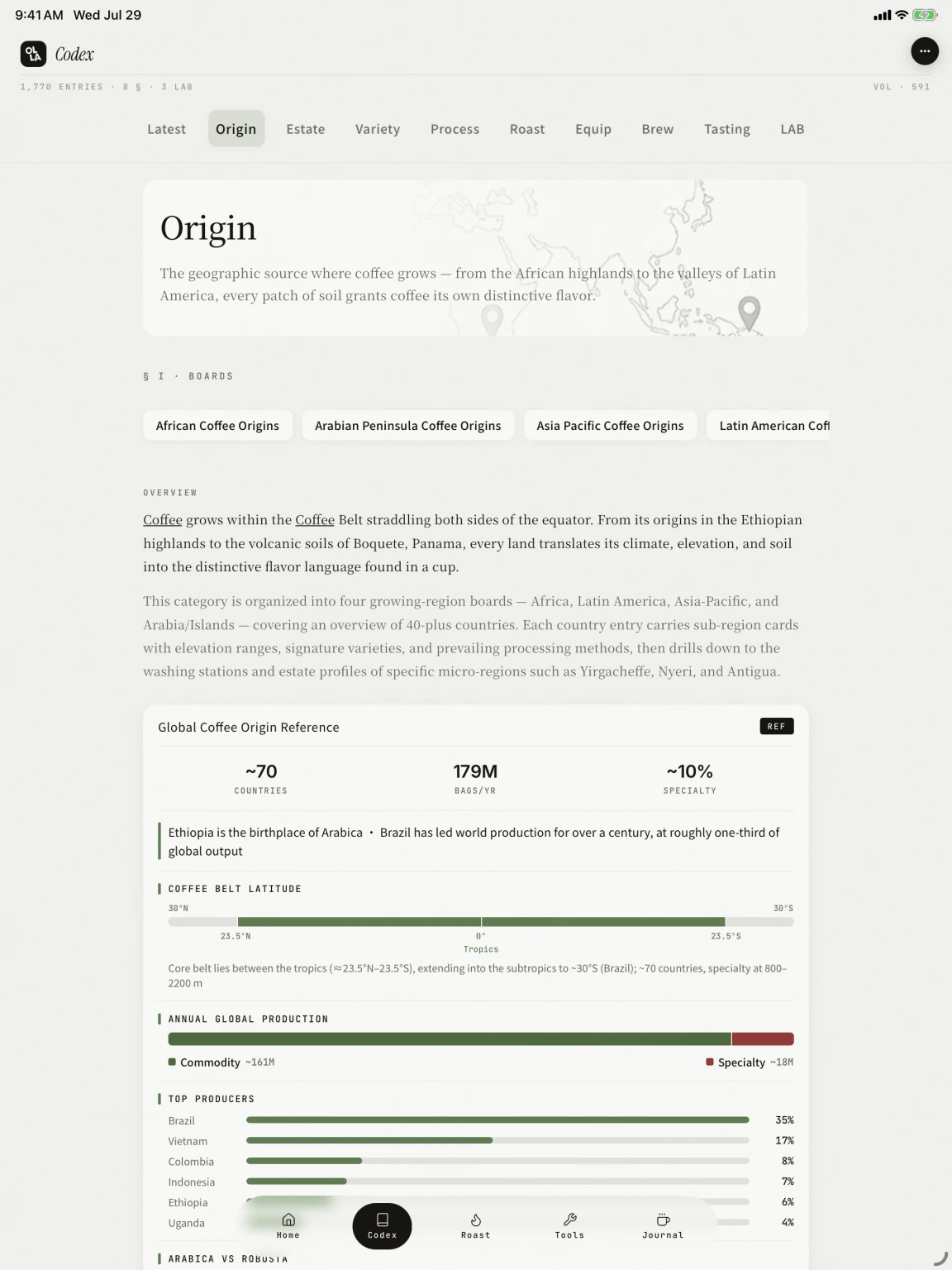
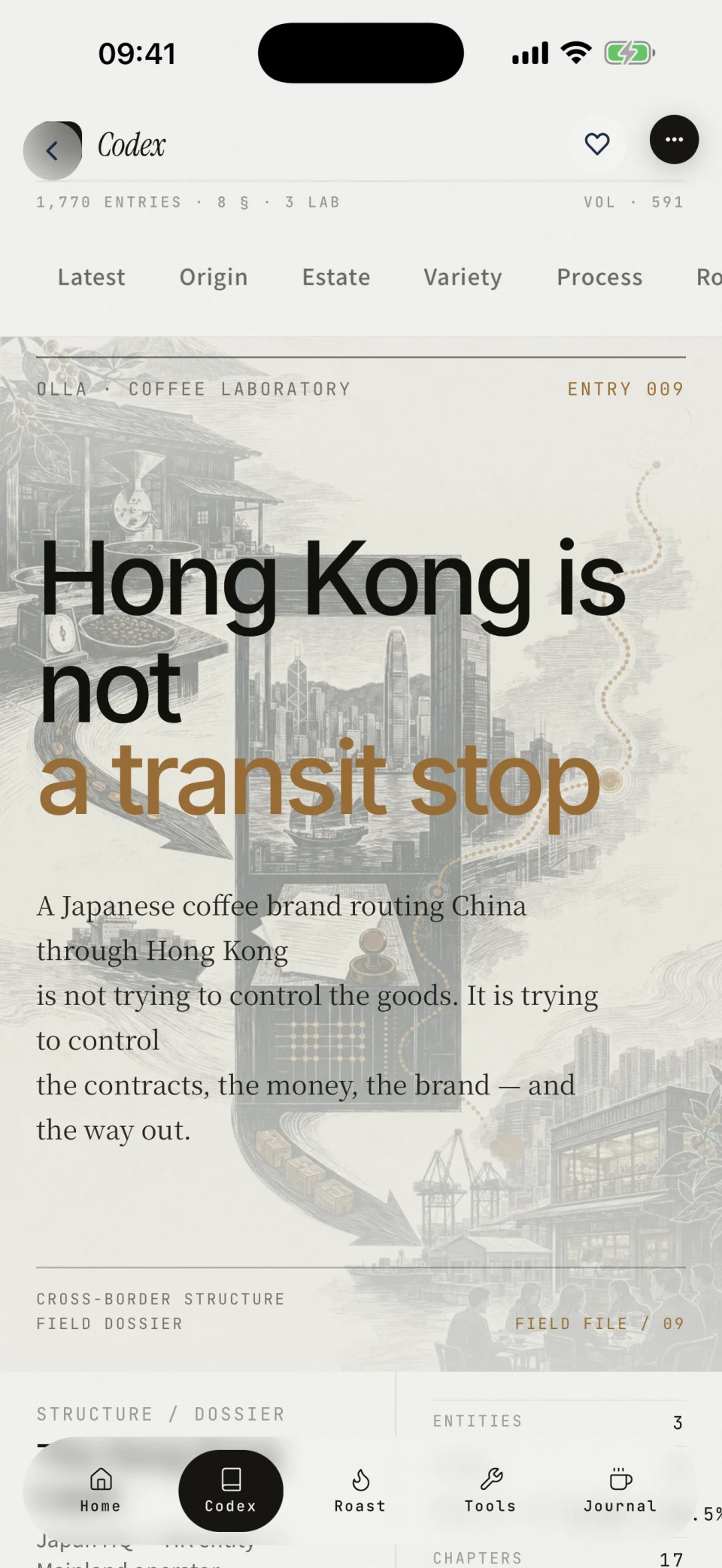
Codex covers origins, estates, varieties, processing, roasting, equipment, brewing, and tasting. Reference entries make sources and figures easy to verify. OLLA LAB goes deeper, separating evidence, context, and editorial analysis in long-form dossiers.
- 01Eight categories and 1,770 entries; if a number cannot be sourced, it stays blank
- 02REF cards include flavor radars, variety lineages, process maps, roast curves, and grading systems from 21 countries
- 03OLLA LAB publishes long-form dossiers with facts and interpretation kept distinct
- 04Hong Kong Is Not a Transit Stop · Entry 009: 17 chapters tracing contracts, capital, and brand control across JP → HK → CN
SEC.02ROAST LAB
Put the iPadnext to the roaster.
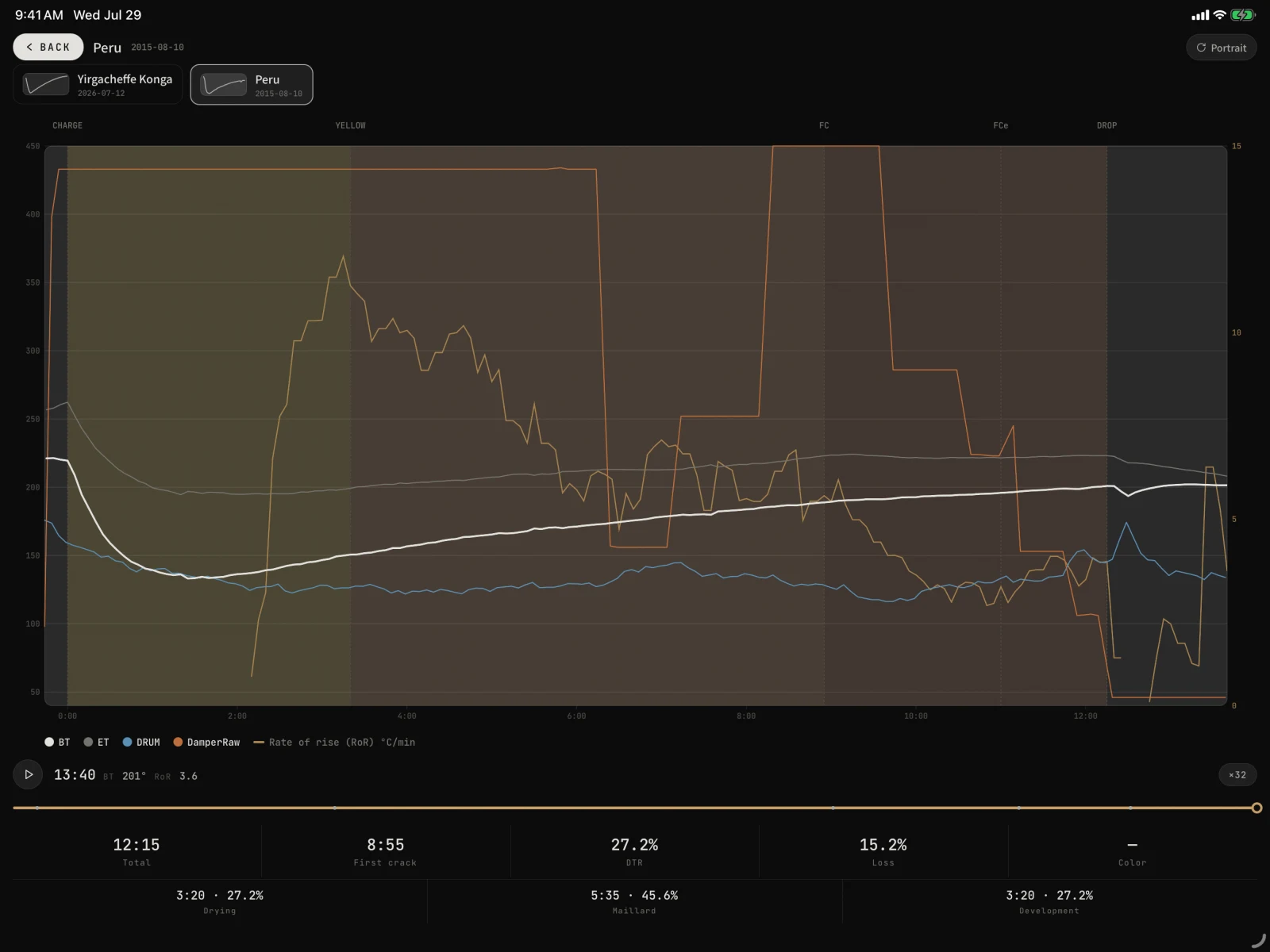
Roast Lab is a workbench for the roast floor: capture events and controls while the batch is running, then replay the curve, compare it with a reference, and bring cuppings and brews back to the same roast. Whether logged live or imported, each batch becomes useful evidence for the next one.
LIVE WORKBENCH · BATCH MEMORY
Less form-filling during the roast. More to learn afterward.
The controls are prioritized for a gloved, time-critical workspace. Every punch saves immediately, while timing is derived from absolute timestamps. Leaving the screen, locking the device, or an interrupted app session will not make the roast clock drift.
Punch events
Use large controls for charge, turning point, yellow, first crack, and drop. Each event lands directly on the curve.
Log the controls
Gas, airflow, drum speed, and bean temperature stay within reach, with large targets and haptic feedback.
Close the batch
OLLA derives total time, first crack, development ratio, and weight loss, then separates drying, Maillard, and development.
Track stock and output
Charging deducts green inventory. Keep crop year, cost, and balance, then enter roasted weight and create the bean card.
IMPORT INTELLIGENCE · LOCAL PARSERS
Bring in the curvesyou already have.
OLLA identifies the source from the file itself, then reads available curves, events, and controls. CSV parsing detects comma, semicolon, or tab delimiters; seconds, mm:ss, or ISO time axes; and Celsius or Fahrenheit values. A channel that cannot be verified stays unassigned for you to confirm—it is never quietly guessed as bean temperature.
Identifies the source, delimiter, time axis, and temperature unit
Remembers a machine’s header so the next import needs no remapping
UTF-8 files are read locally; unsupported encodings prompt a clear re-save
ARTISAN
ROASTER NATIVE
UNIVERSAL
LOCAL-FIRST · YOUR DATA
Your files.Your data.
Files are parsed on-device, while batches and events are stored locally by default. iCloud is optional. Raw second-by-second samples from imported curves stay on that device; re-import the source file when you need full curve detail elsewhere.
01Imports are parsed on device
02Batches and events stay local by default
03Raw samples stay on the current device
ROAST TO CUP · RTC
The record continuesafter the roast.
ROAST→BEAN CARD→CUPPING→BREW
NEXT · ON-DEVICE AI
A smarter assistant—without sendingyour data to the cloud.
We plan to use Apple’s on-device models to help interpret curves, events, cupping notes, and brews. Your coffee data stays on your device, with storage and sync under your control.
CURVE MEMORY · REFERENCE
Replay the curve.Use it to guidethe next batch.
Temperature curves and RoR share one timeline. Stop anywhere to read BT and RoR at the cursor. Set one batch as the reference and the next roast gains an overlay, event deviations, and a live ghost to follow.
- Phase shading, event markers, multiple temperature channels, and source RoR
- Playback, speed control, scrubbing, and live BT / RoR cursor readouts
- Reference curve, event deviations, live ghost, and three-batch comparison
- Focused landscape on iPhone; free rotation throughout on iPad
EXPORT · KEEP THE RECORD
Take the completeroast record with you.
Every output uses OLLA’s lab-report system, ready for archiving, review, or a conversation with the team.
CURVE PDFCurve-sheet PDF
CURVE PNGCurve PNG
COMPAREThree-batch comparison export
STOCKLight inventory report
RTC DOSSIEROne-bean dossier PDF
JOURNALRoast chapter in the analytical report
OLLA PROTry three full roasts, shared across live logs and imports. OLLA Pro unlocks unlimited batches after that. Existing records remain viewable, and the standalone small tools stay free.
SEC.03TOOLS
Ten brewing tools,always within reach.
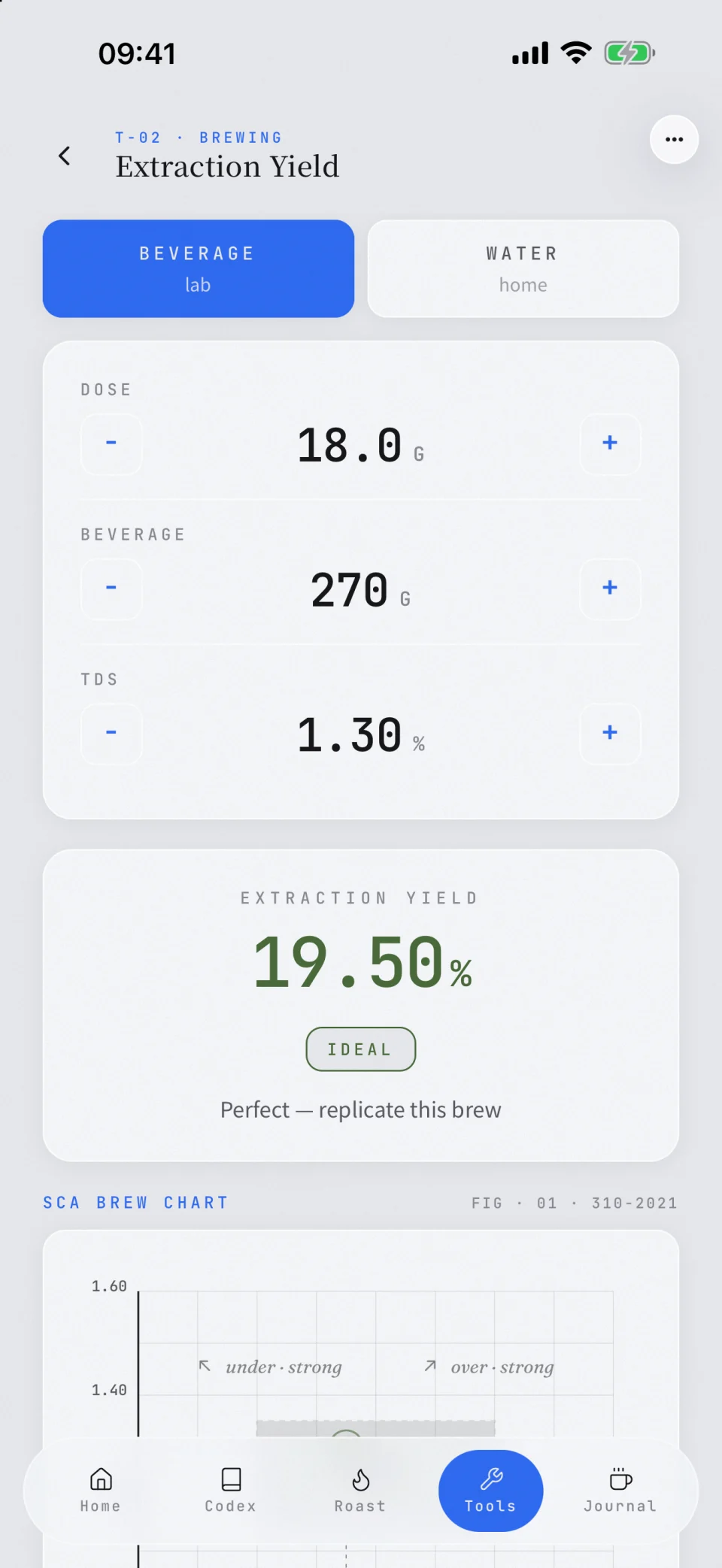
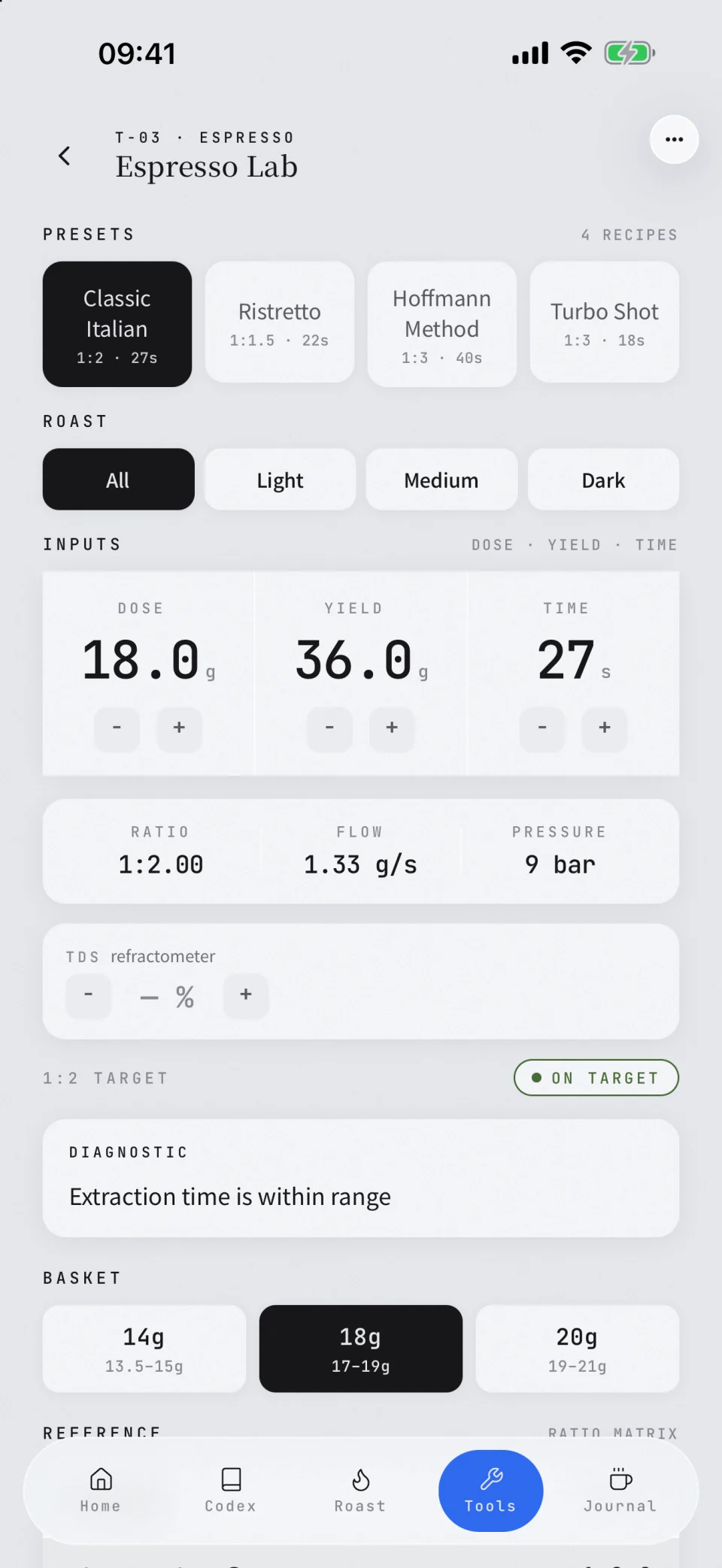
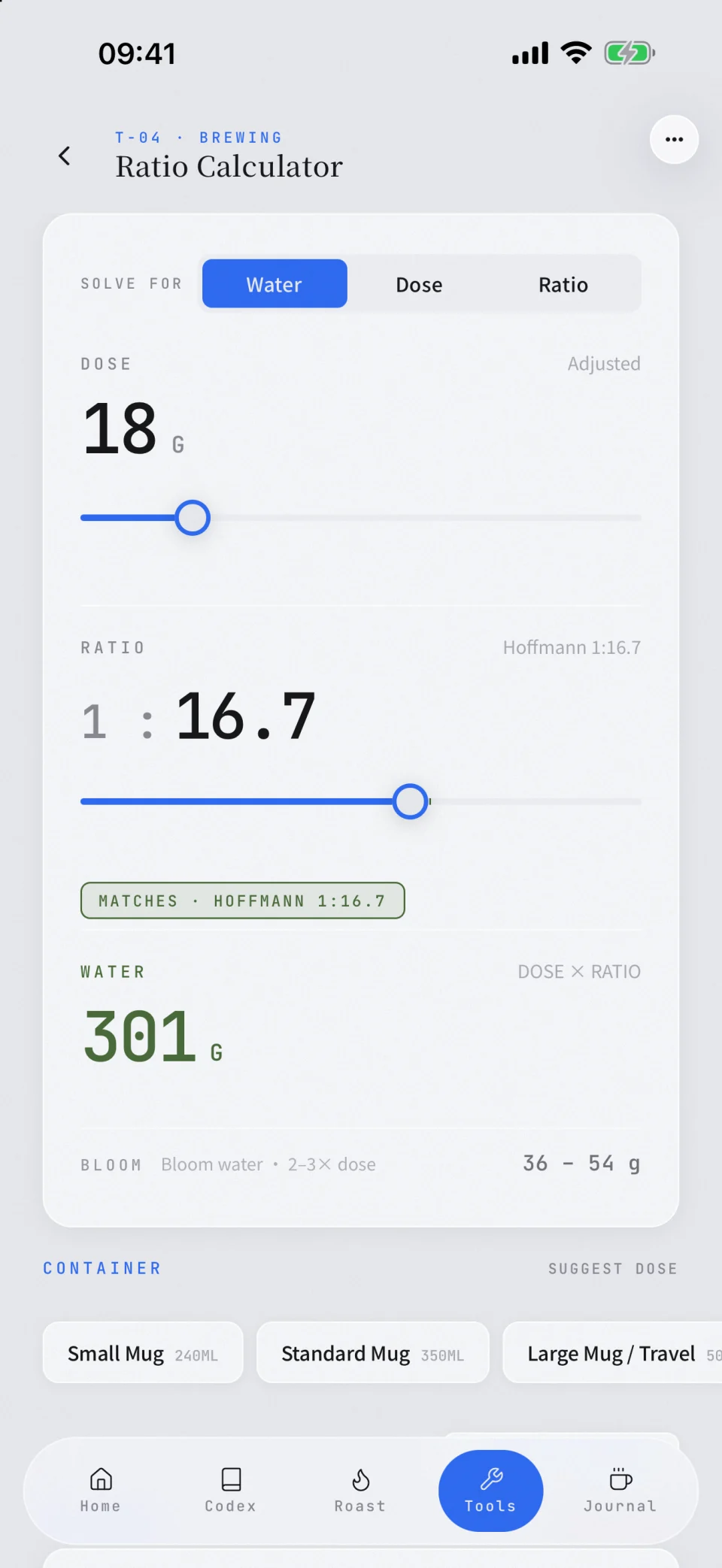
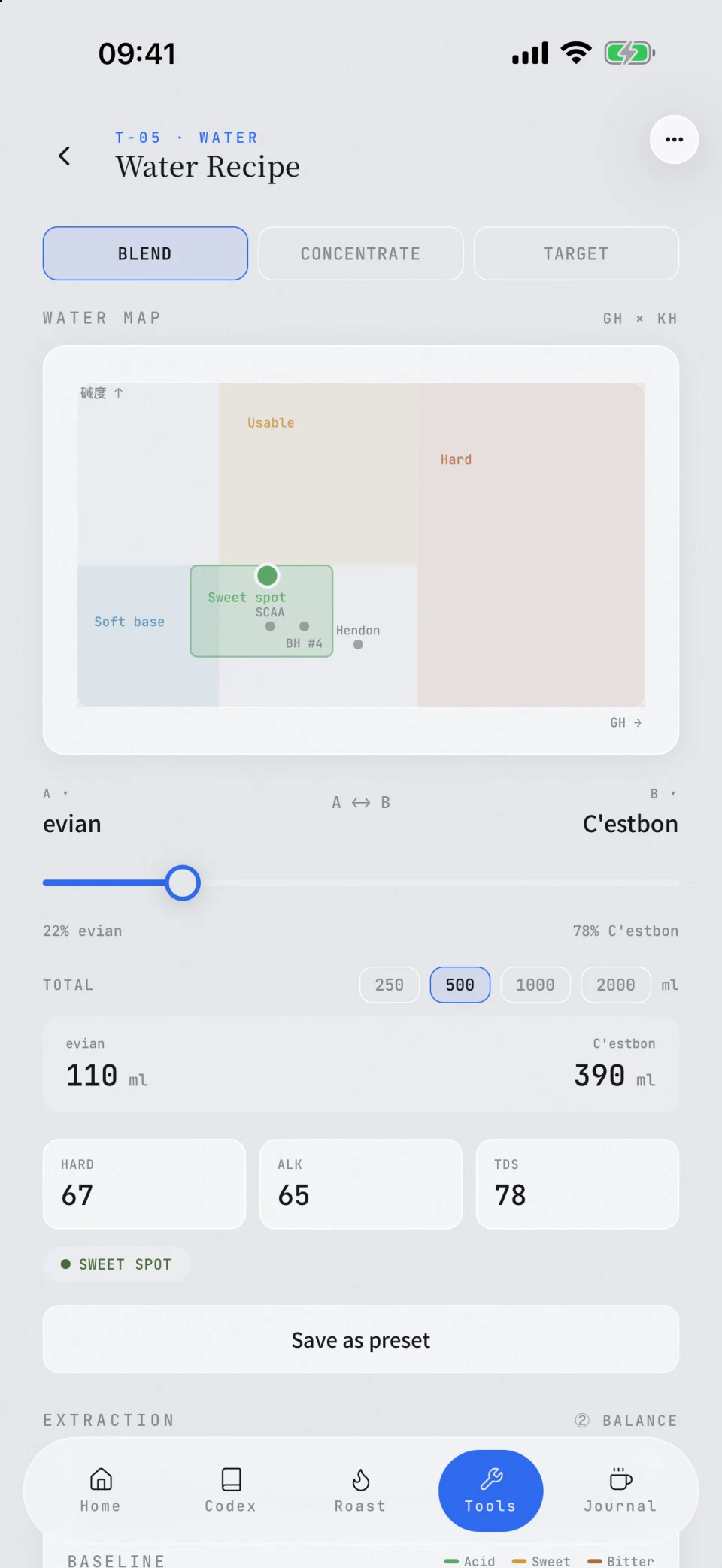
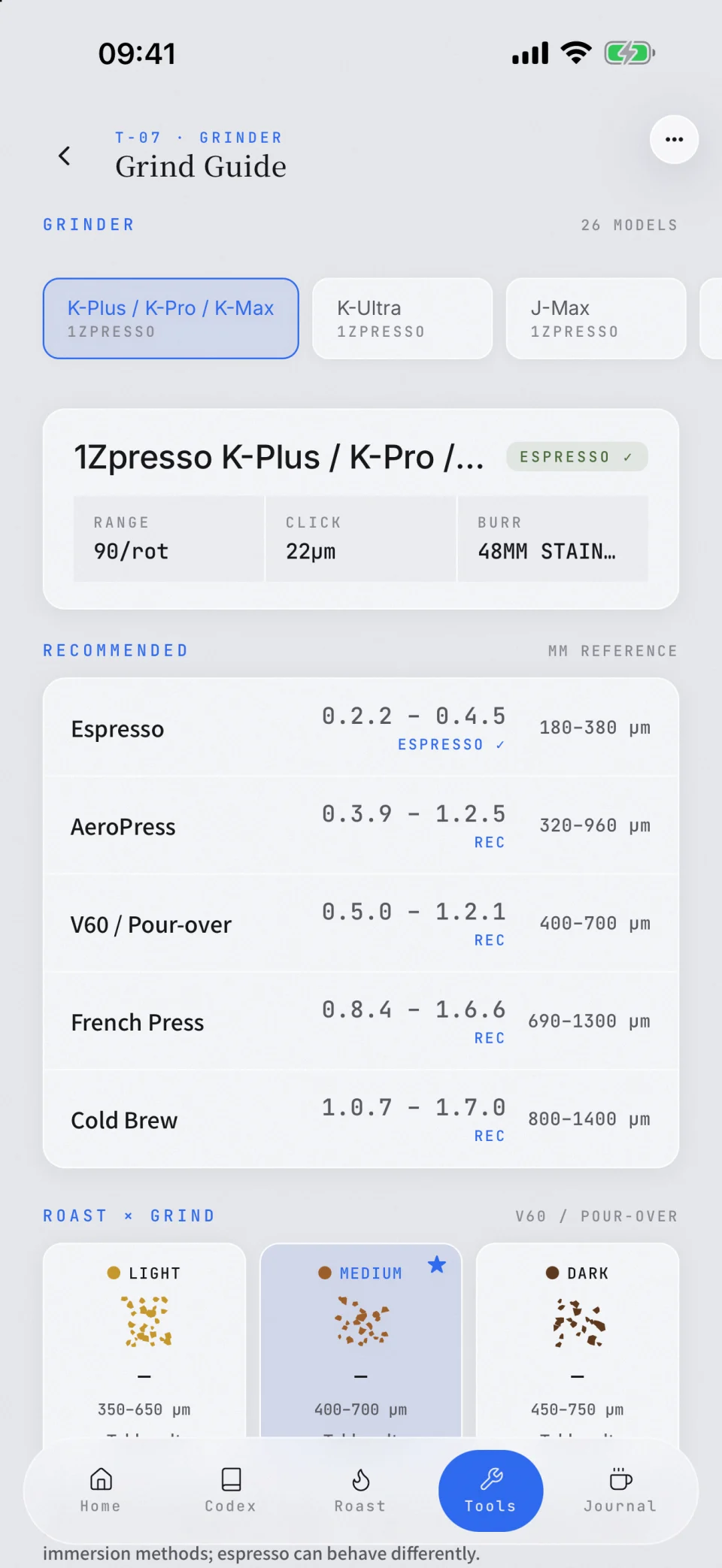
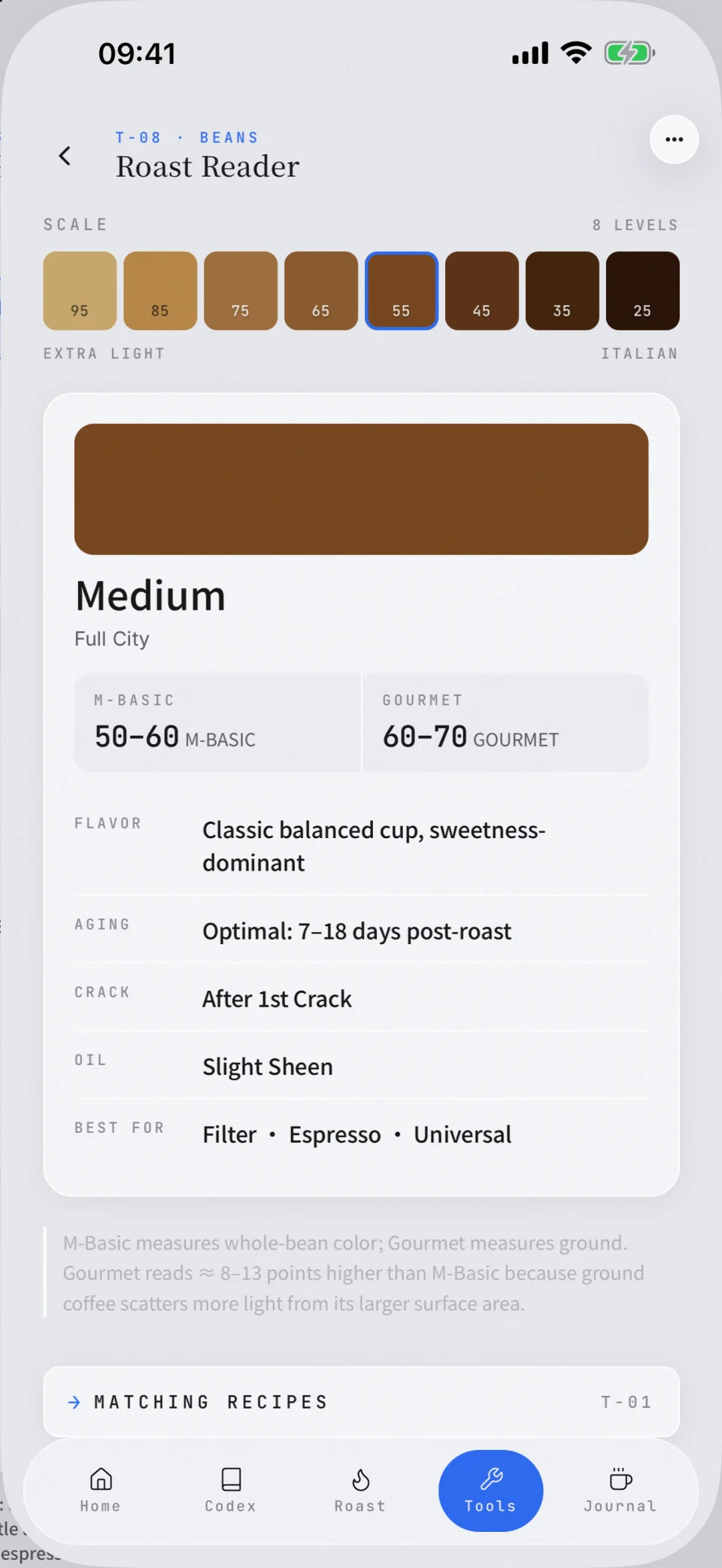
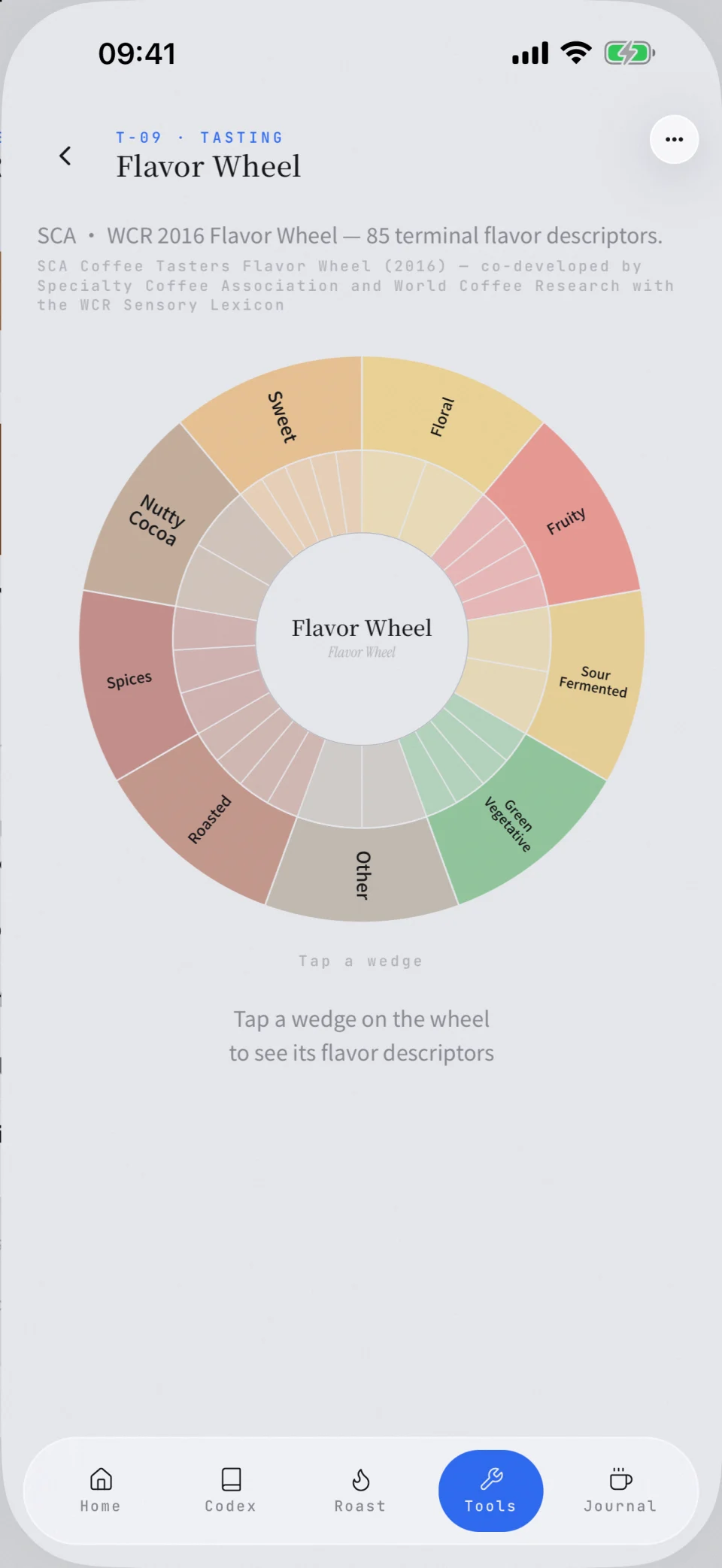
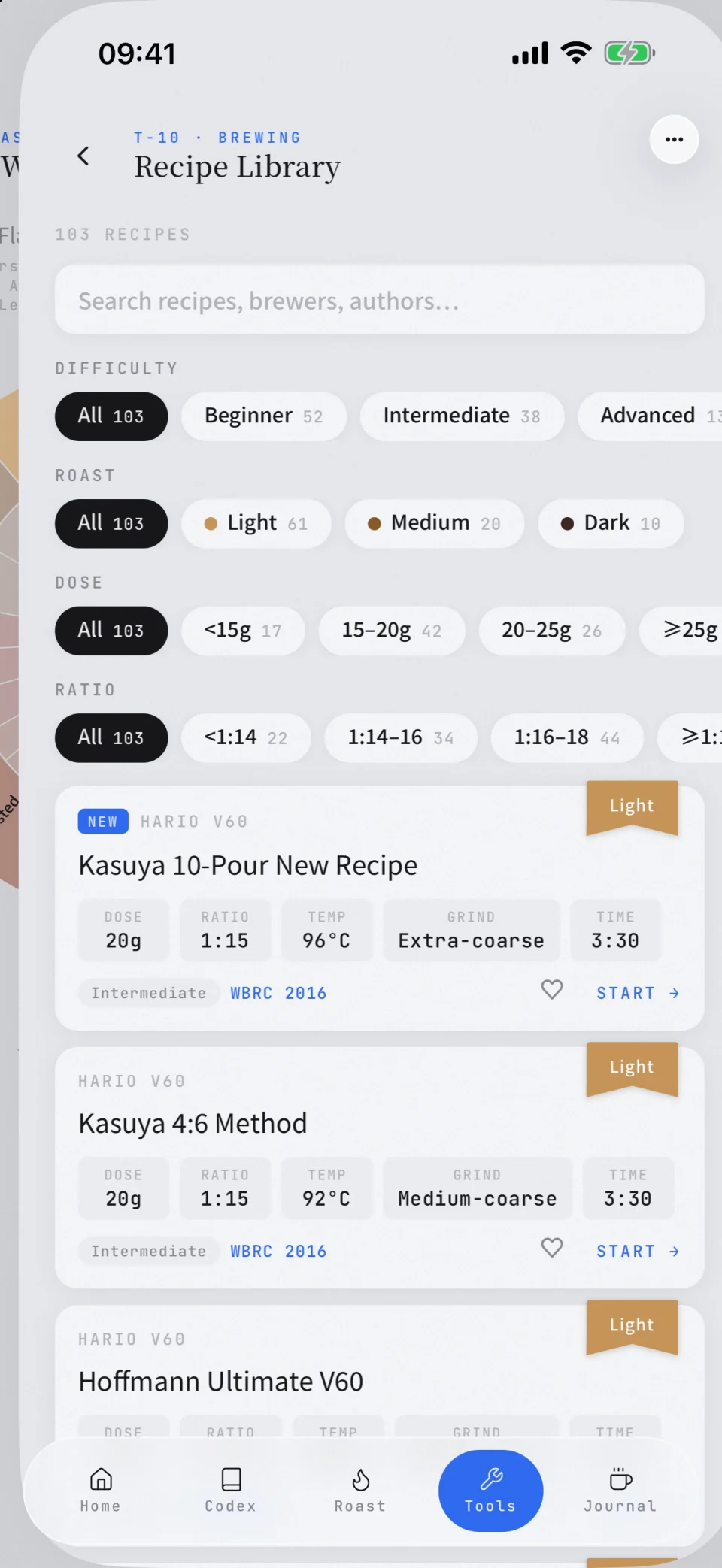
The brew timer starts with a brewer, filter, and built-in recipe, then guides each stage by time, cumulative water, and pour action. Water Recipe includes a GH × alkalinity map and data for 80 bottled waters. The flavor wheel includes all 85 SCA × WCR descriptors, and Grind Guide is calibrated against a 38 µm reference.
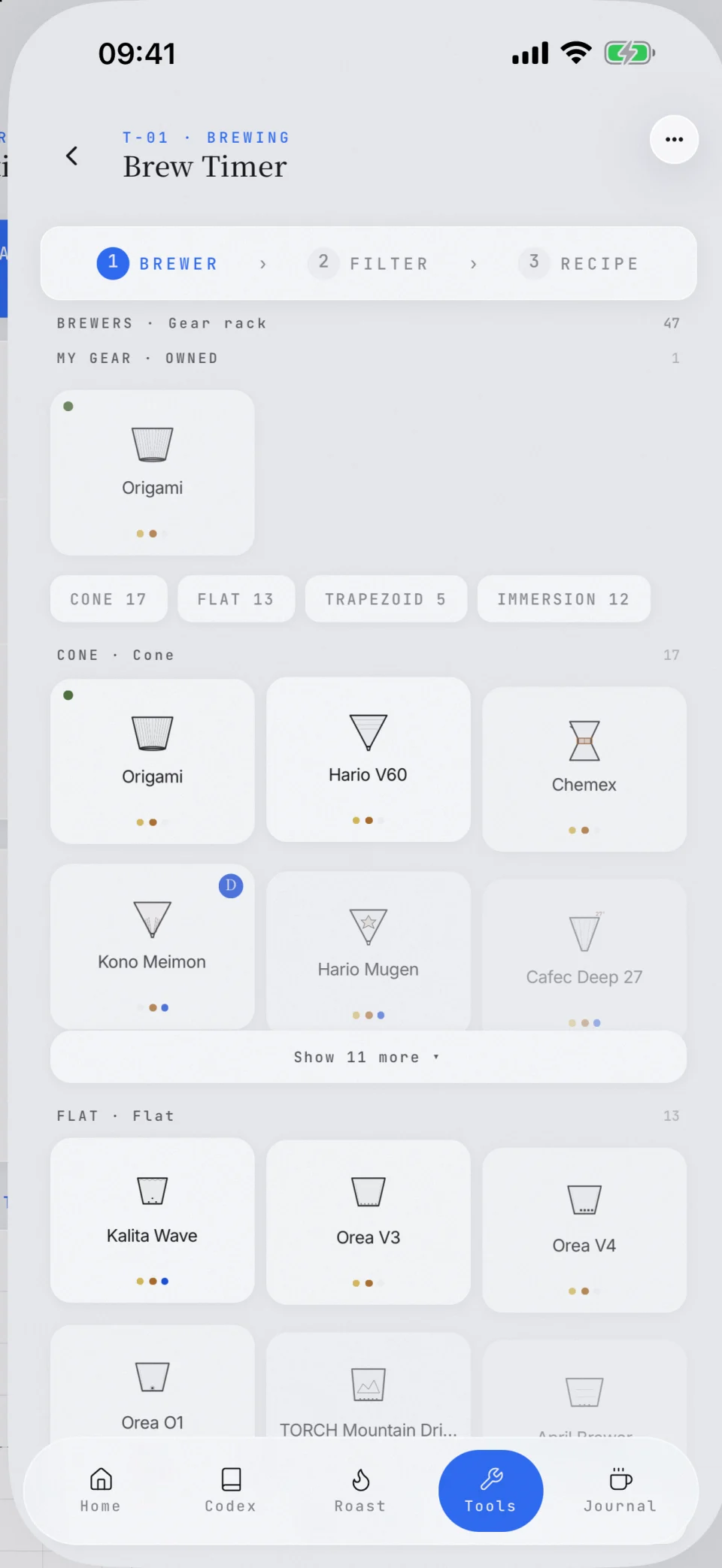
Equipment library: 47 drippers · 72 filters, checked against official specifications
SELECT A TOOL10 · ALL TOOLS
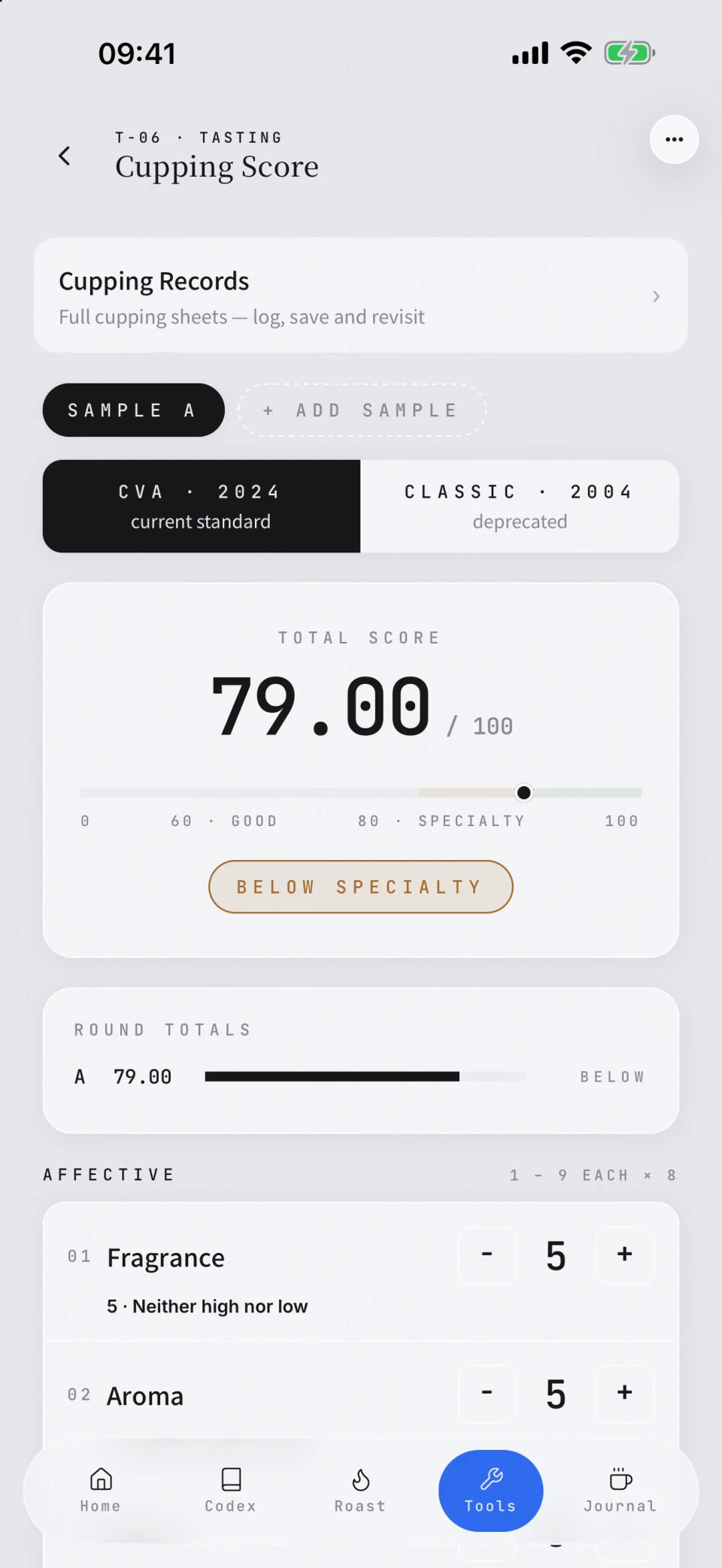
Choose a tool to preview its English interface.
T-01 · BREWING
Brew Timer
Choose a brewer, filter, and recipe, then follow every pour from bloom to drawdown.
SEC.04BEAN TO BREW
Start with the bag.Keep every brewand every cuppingwith the same coffee.
Take a bag photo or choose one from your library. Apple Vision reads origin, variety, process, roast level, roast date, altitude, and weight on your device. Review the source behind every field before it fills the bean card, then keep recipe timing, brew parameters, sensory notes, and professional cupping records connected to that coffee.
Use the camera or photo library. Apple Vision recognizes the label on your device; confirm, edit, or exclude each field, and optionally keep the photo as a local cover.
Choose a brewer, filter, and built-in recipe, then follow each stage by time, cumulative target water, and pour action.
Save the brewer, filter, dose, grind, temperature, ratio, TDS, extraction yield, and six sensory scores. Golden-cup brews earn a mark and can be shared as a lab sheet.
The three-part sheet covers coffee data, equipment and pours, 10 scored attributes, plus complexity. Scores of 80+ earn SPECIALTY, and the signed record exports as an A4 PDF.
ONE COFFEE · EVERY RECORD
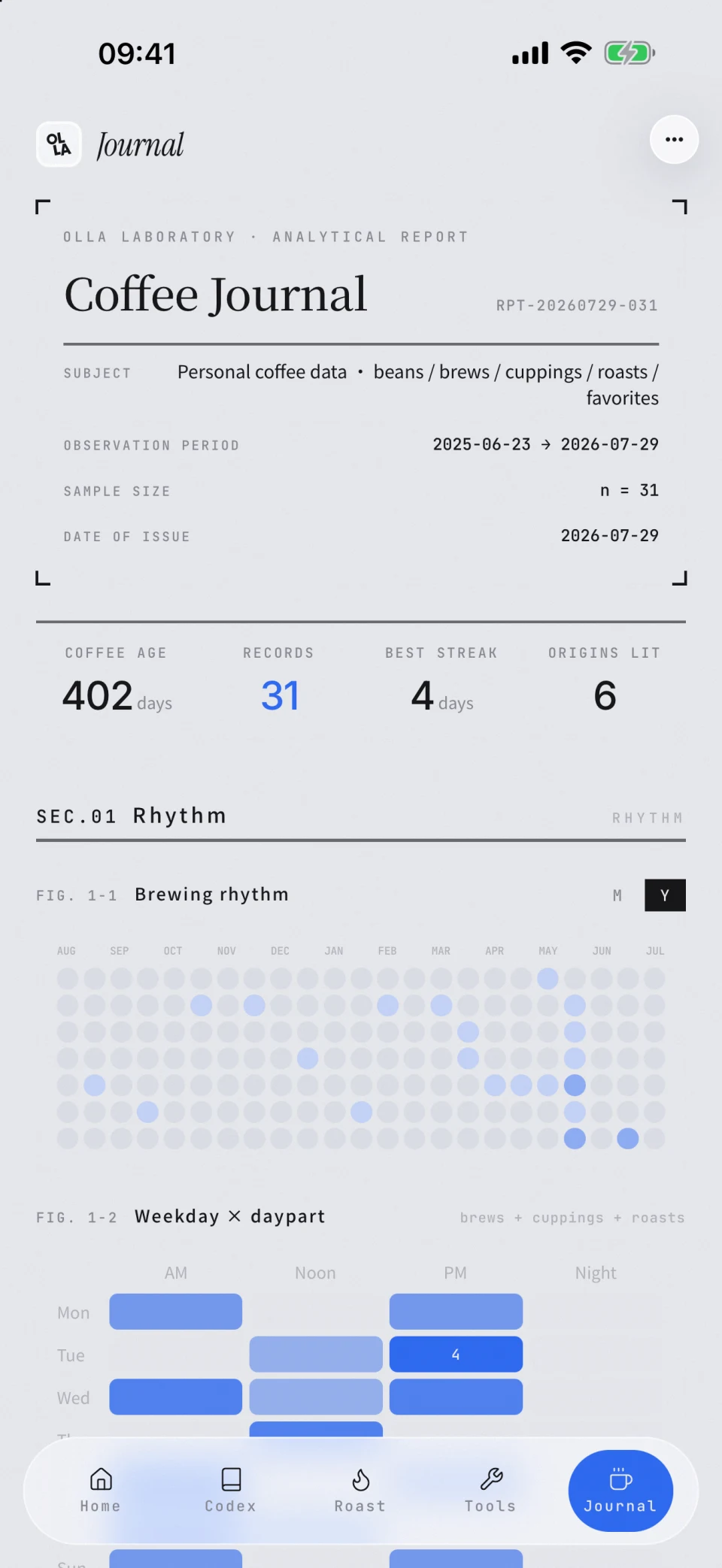 COFFEE JOURNAL · REPORT
47BREWS LOGGEDThe longer you keep notes, the clearer your preferences become.
SEC.05JOURNAL & INSIGHTS
Your notes becomea map of your taste.
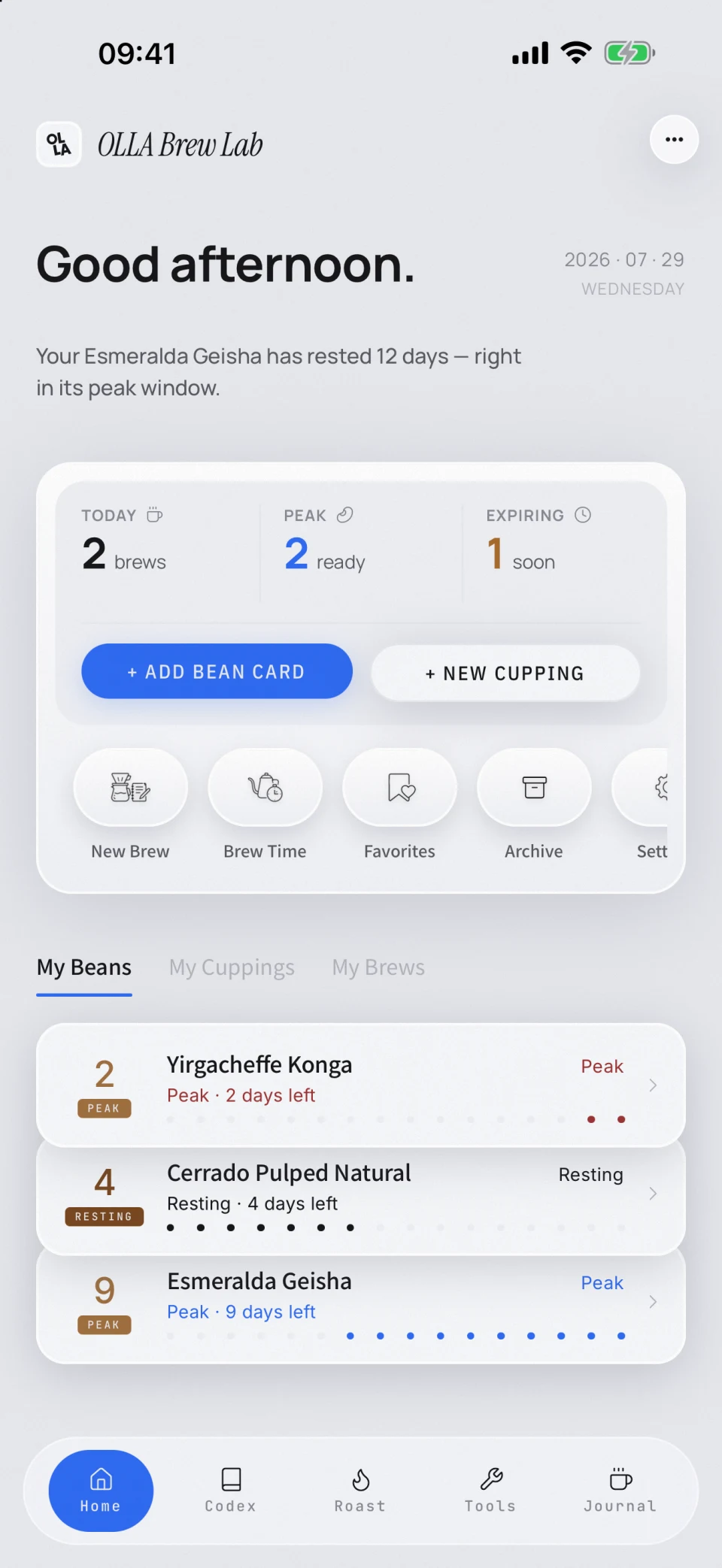
Take a photo of the bag to create a bean card and track its freshness window. Brews, cuppings, and roasts stay connected. Over time, OLLA turns those records into a coffee report you can return to.
- 01Create a bean card from a bag photo, then edit any recognized field
- 02Freshness countdown with linked brew, cupping, and roast records
- 03Reports cover brewing rhythm, trends, flavor preferences, and origin distribution
- 04Export signed cupping reports as PDFs
SEC.06ONE WORKFLOW
One account.Every device.One continuous record.
- 01iCloud sync for bean cards, curves, cuppings, brews, and reports
- 02Start on one device and continue on another with the same account
- 03Sign in with Apple, with JSON backup and restore when you need it
APPLE ACCOUNT · ICLOUDYour Apple Account and iCloudkeep records in syncacross devices.
OLLA BREW LAB · APP STORE
More tools andreference contentare on the way.
The reference library will keep expanding, and every tool will keep improving through real-world use.